
Text column and its functions
The text column allows you to enter directly in the overview of the quality assurance matrix useful information about the worksection, such as instructions, requirements, and special features to be taken into account in the work phase or notes.
Once the text column is activated in the matrix, you can add text as follows
Entering text and settings:
- From the View quality matrix view, select Edit
- Pen icon for the desired worksection.
- Enter the text
- Click "OK"
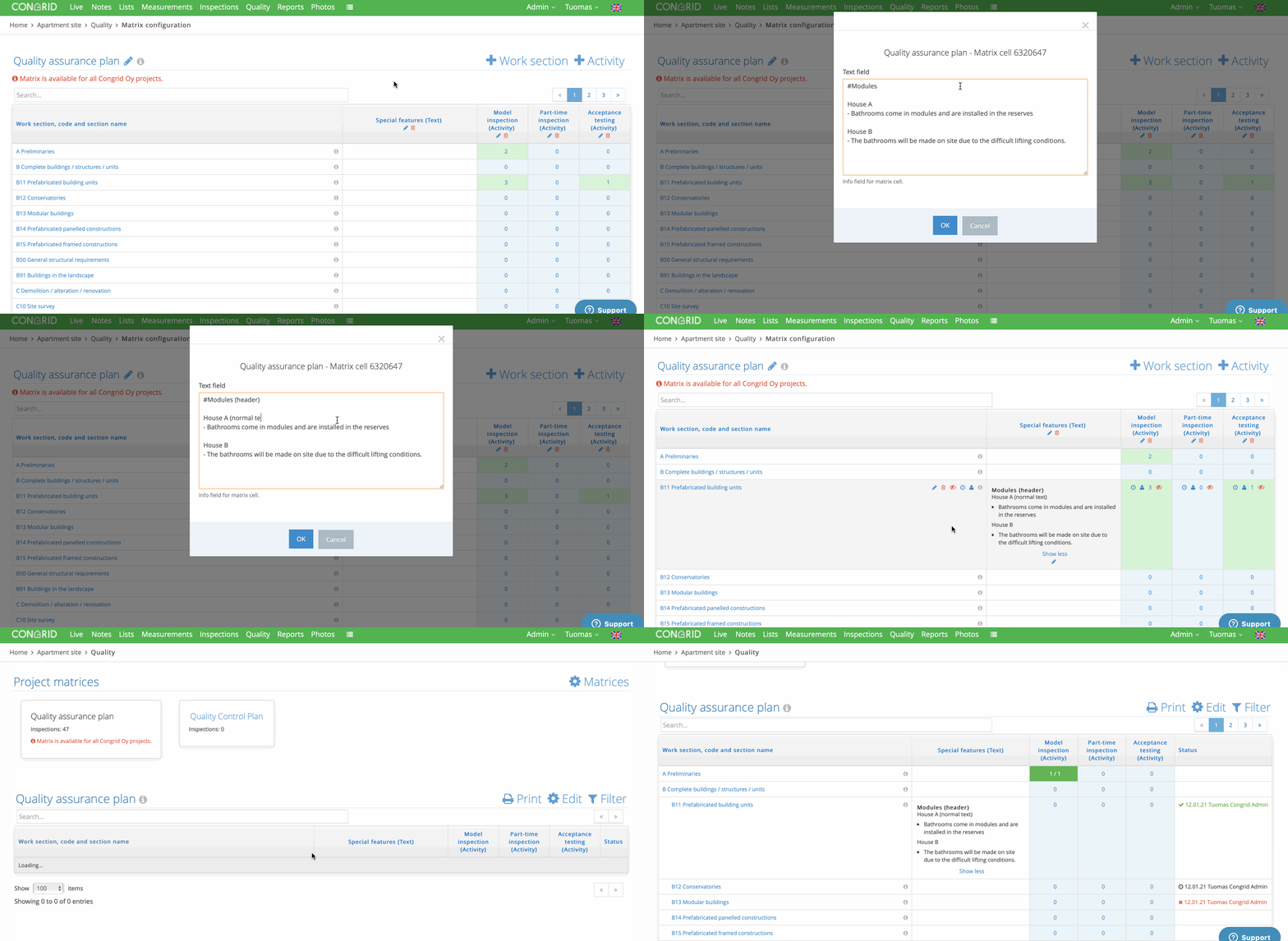
Adding text and formatting text.
Text formatting
You can add a heading to the text by placing a "#" at the beginning of the line.
# This is the header line
This line is normal text
It is also possible to create paragraphs that are rendered with French lines.
- This is a paragraph
If you experience problems with the functions of the quality matrix, please contact tuki@congrid.fi
Comments
0 comments
Please sign in to leave a comment.