
You can define a status for the quality matrix’s work sections in accordance with their progress. The available status options for work sections are: Accepted, rejected or pending.
Note. If you want to specify the status of a work section, the work section must be active. Please see the instructions: How to edit Qualitymatrix
Take the following steps to define the status:
First, click Quality in the top menu

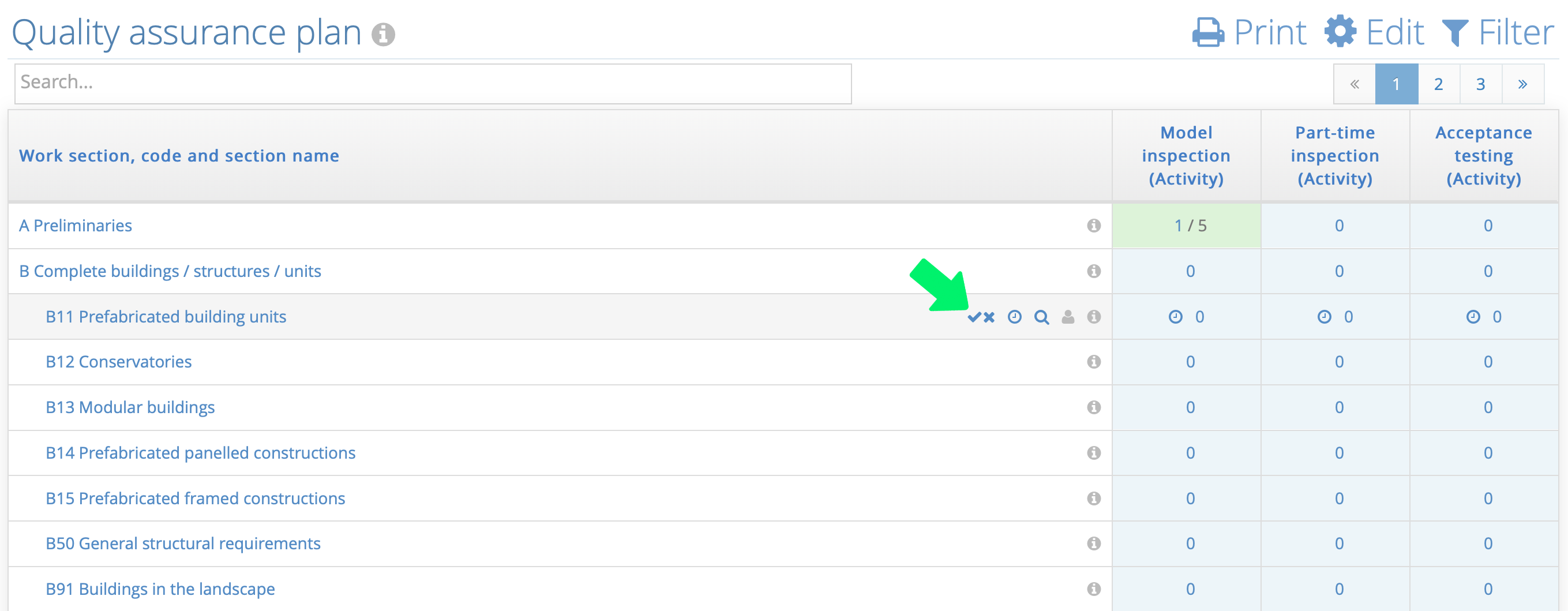
Then, place your cursor over the quality matrix to see the blue correct icon 
 for each work section.
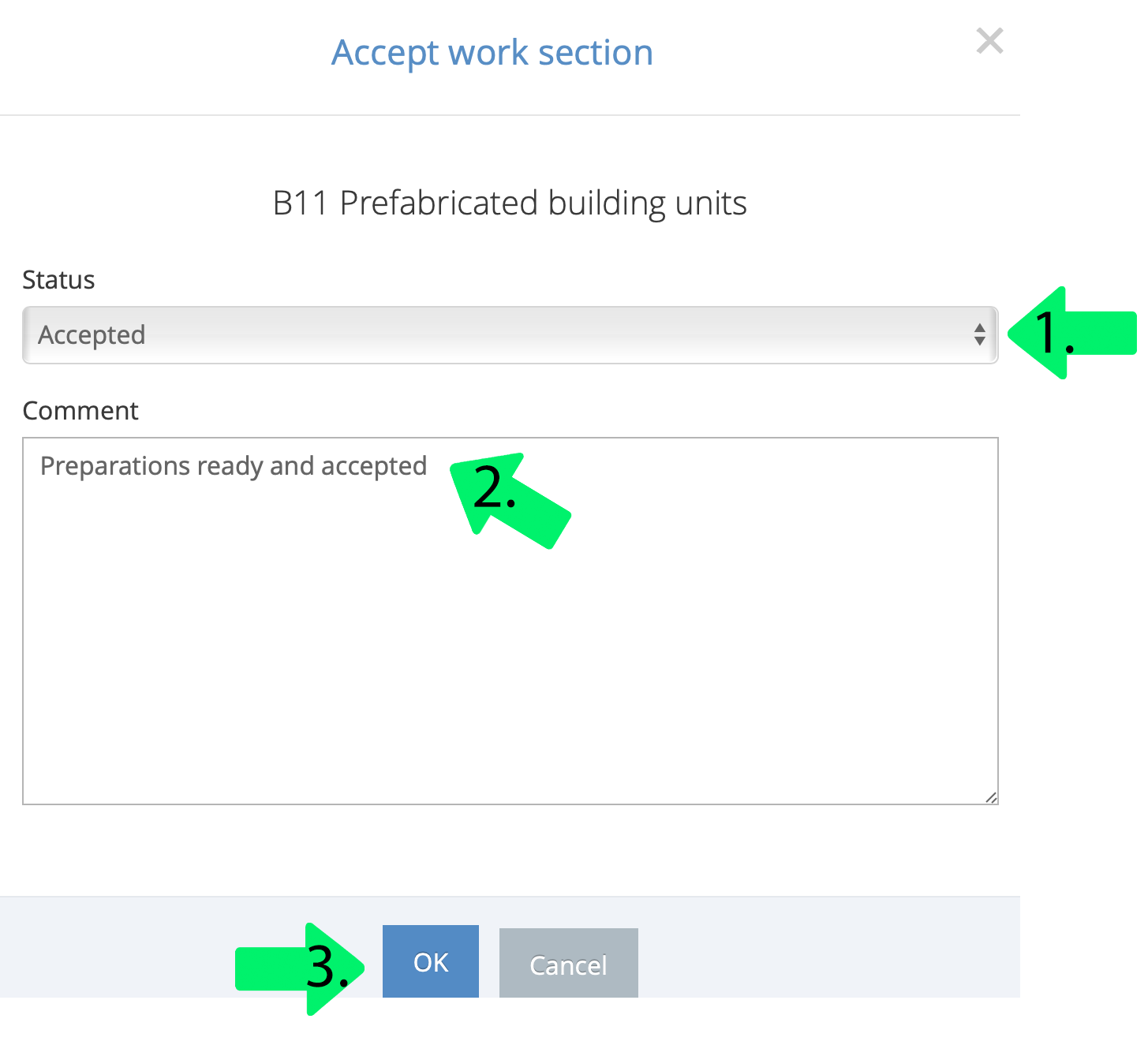
A pop-up window is displayed, and the next step is to define:
- The new status for the work section – Hyväksytty, hylätty or keskeneräinen
- Comment the status change
- Finally, click OK
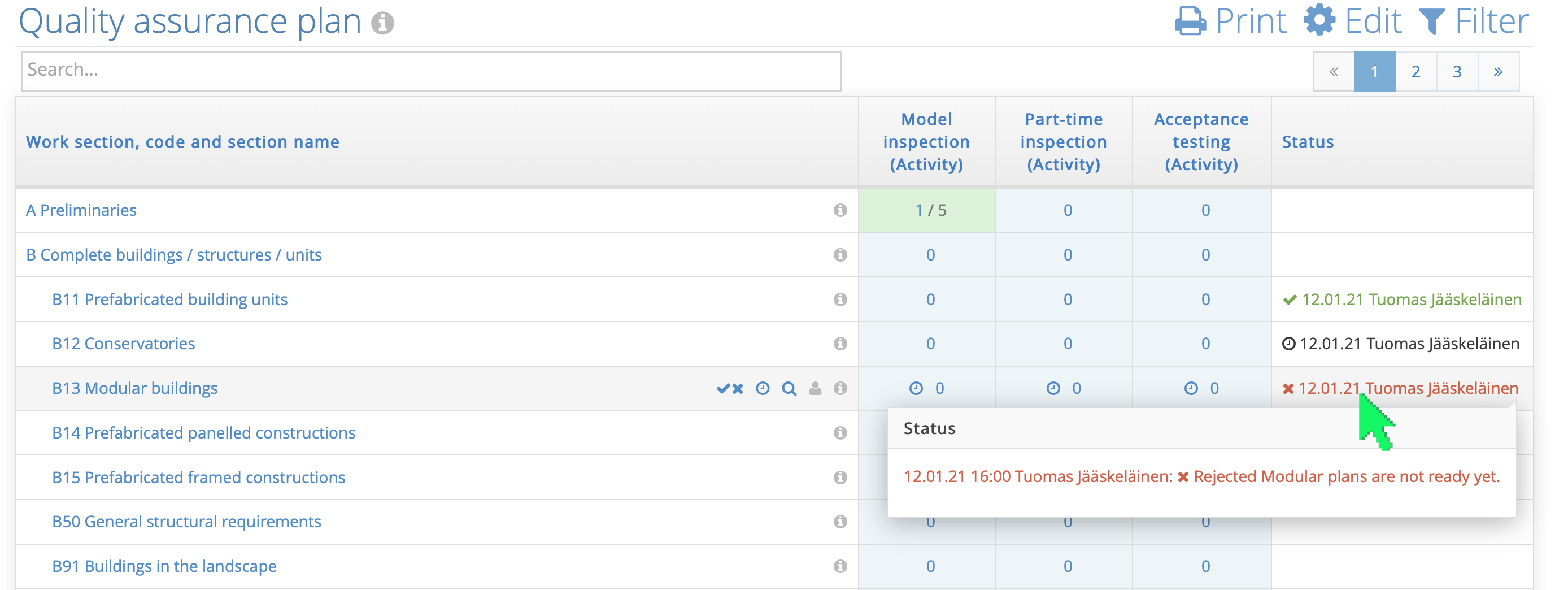
When you place your cursor over the status column of a work section, you can see the events and comments for status changes.
Comments
0 comments
Please sign in to leave a comment.