
Documents related to a work section can be attached to a quality matrix's document -column. Adding documents to a quality matrix ensures that all documentation is available in the quality matrix as well as work sections. Added inspection documents are not available in the Congrid-application. Adding and viewing inspection documents is explained below.
First, open Quality.

Activating the document column in the quality matrix:
To be able to add documents, you must have the Task Planning module activated on your project.
Click Settings to edit the matrix.

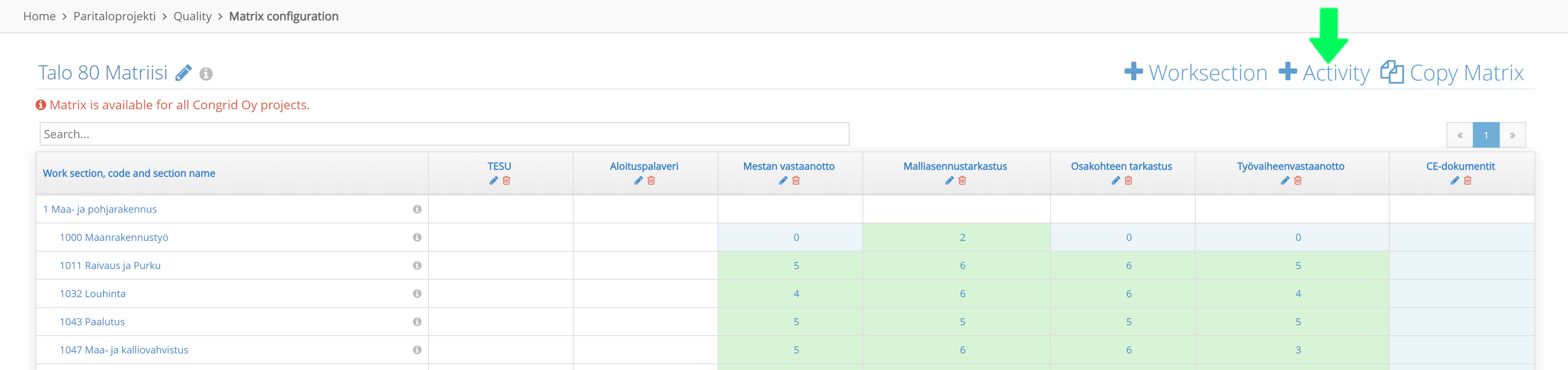
Add a new column by clicking + Activity or edit an existing column by pressing the pen icon.
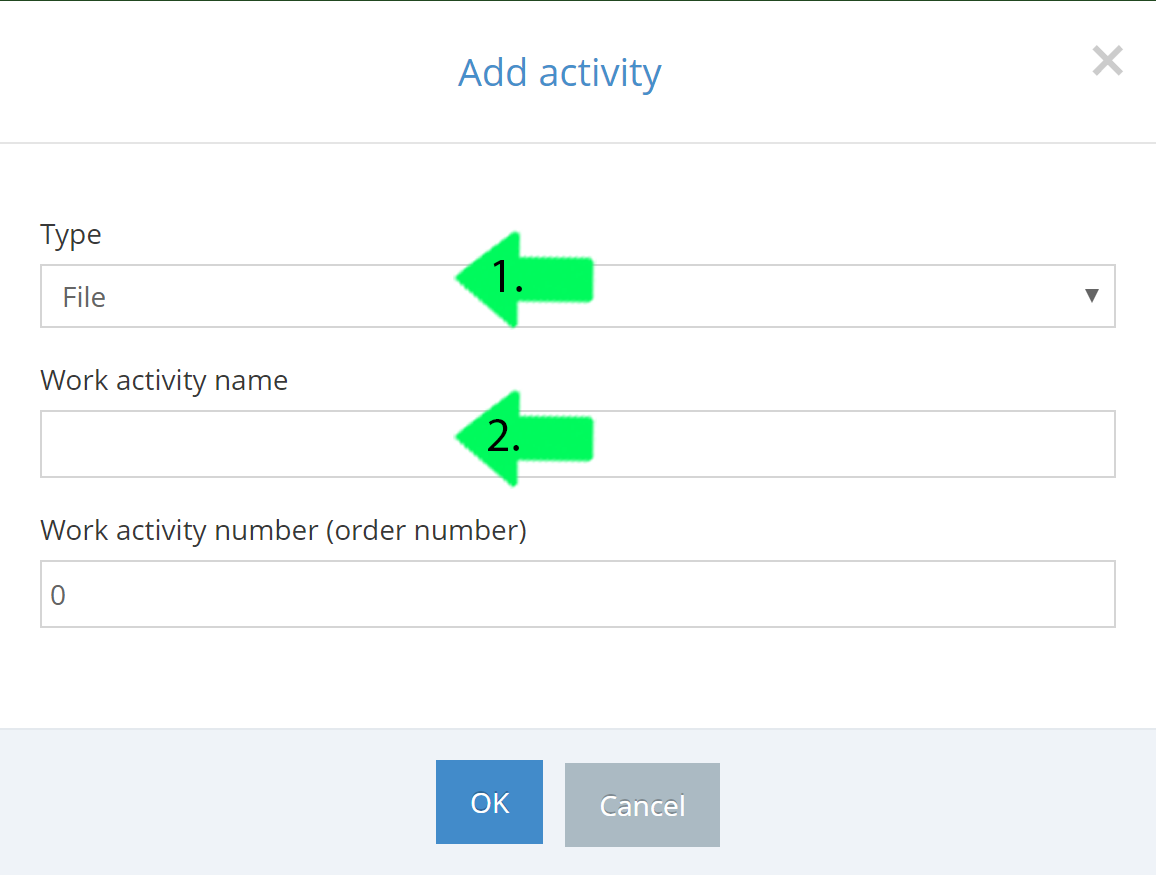
1. Select the activity column type as a file.
2. Add a name
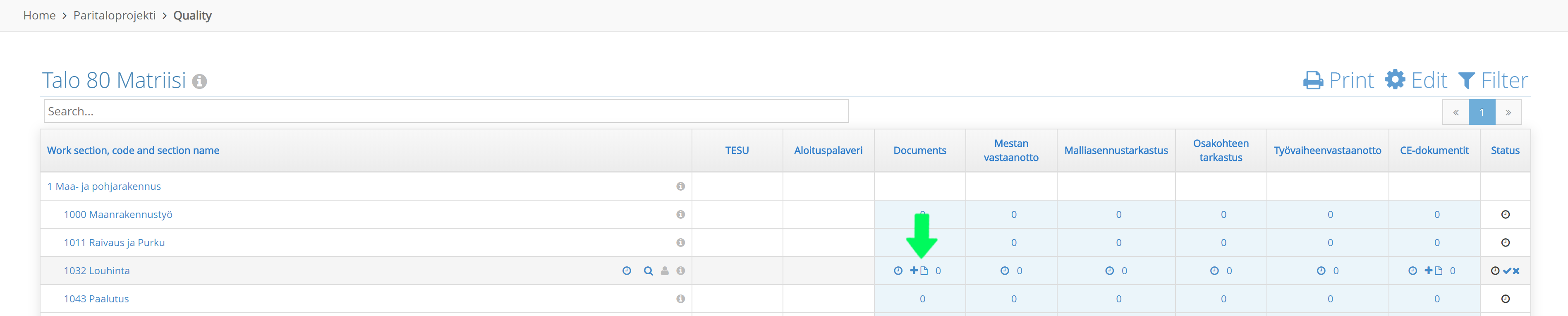
A documents column will be added to a quality matrix.
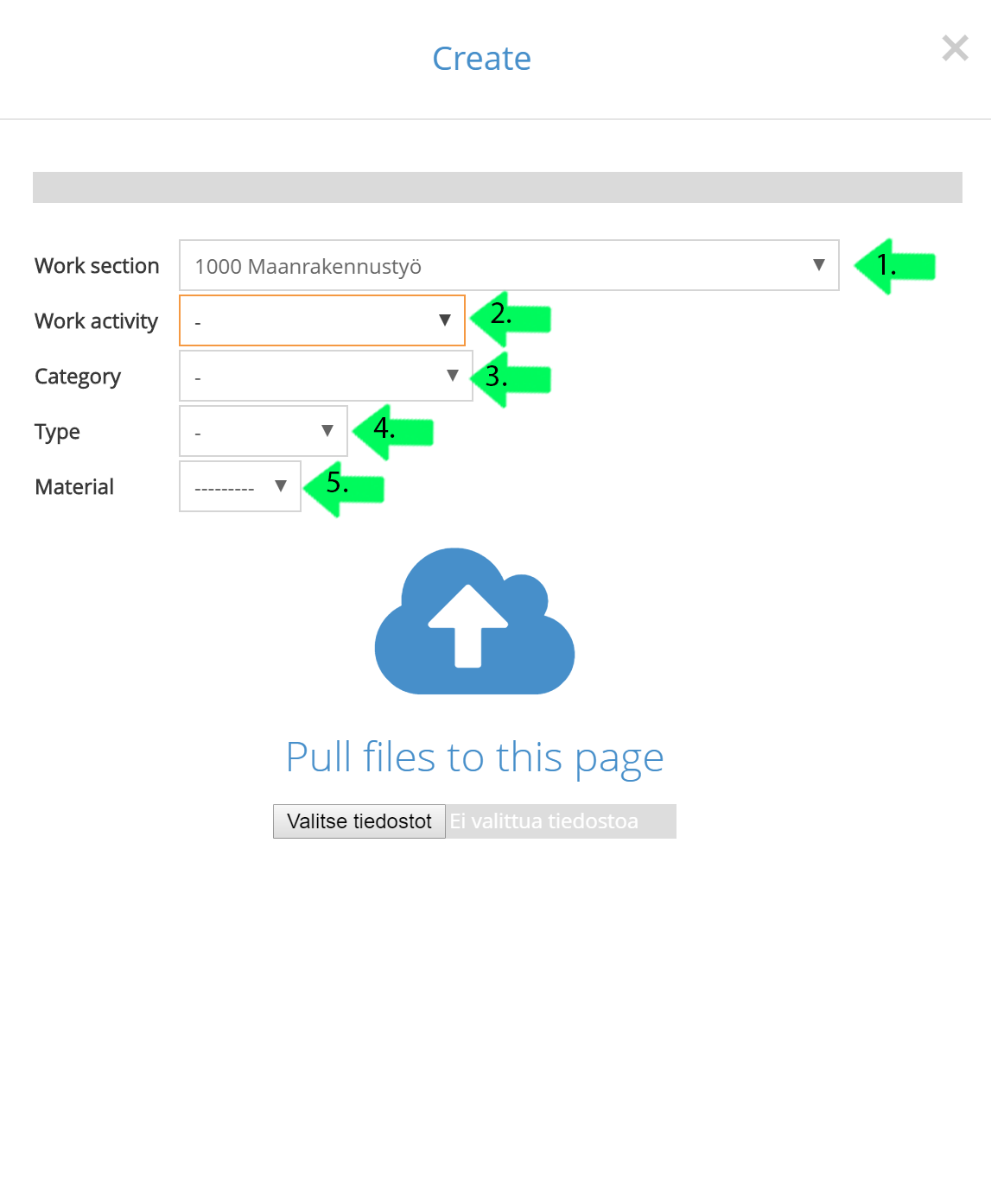
Select a file you want to add to a work section.
1. Select a work section (Default section will be the one you clicked earlier)
2. Select an inspection, available inspections are from your quality matrix.
3. Category
- Information
- Safety
- Quality
- Costs & Schedule
- Environment & Logistics
- Summary
4.Type
- Agreement
- Document
- Plan
- Cost
- Schedule
5.Material
The work section is the only obligatory field.
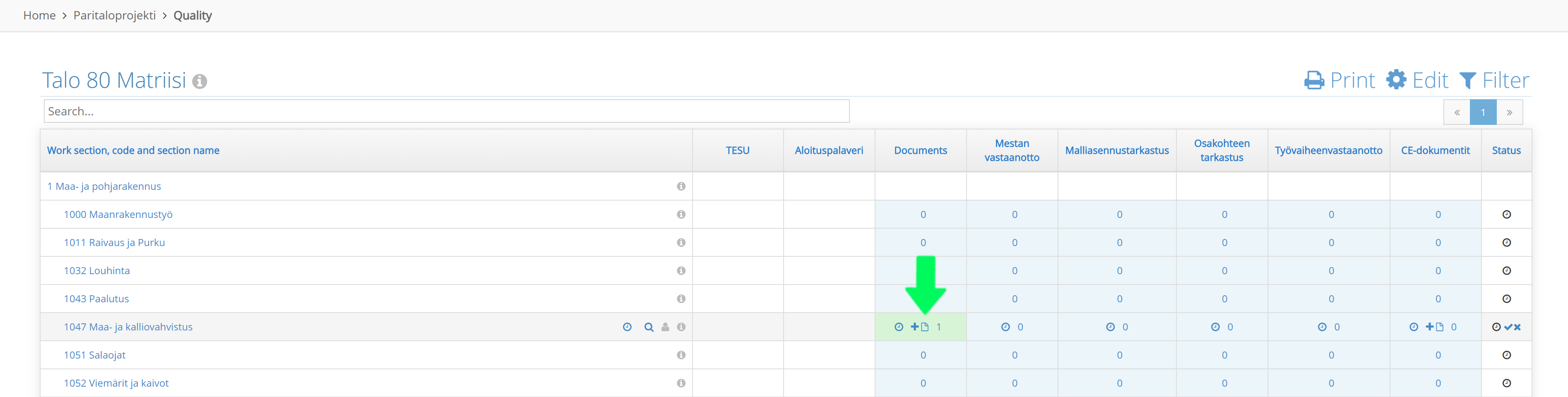
To inspect the document click the number in the documents column. The number is determined by pre-existing documents on the work section.
Comments
0 comments
Please sign in to leave a comment.