
How to Add a Work Section to A Quality Matrix
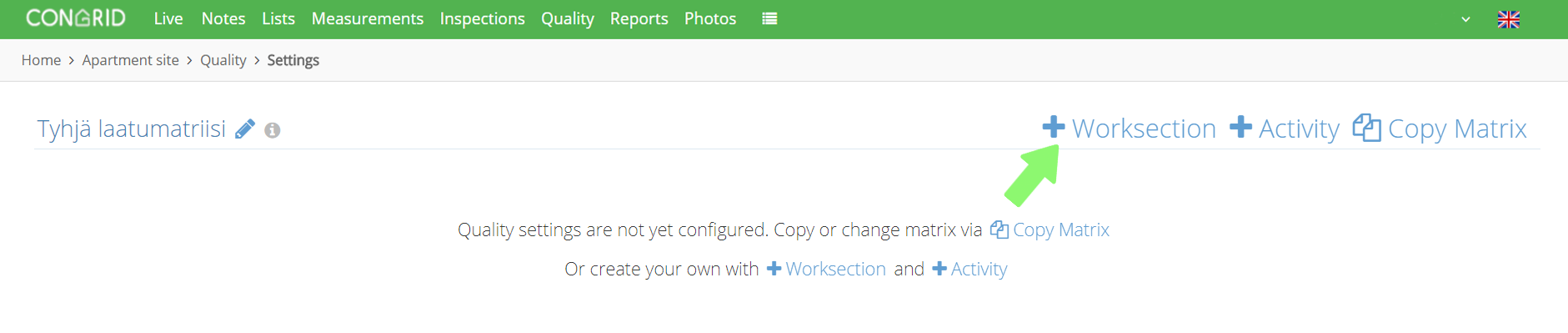
Start adding work sections by clicking Settings.
To be able to edit the matrix, you must at least have project administrator rights.

Then click + Worksection.
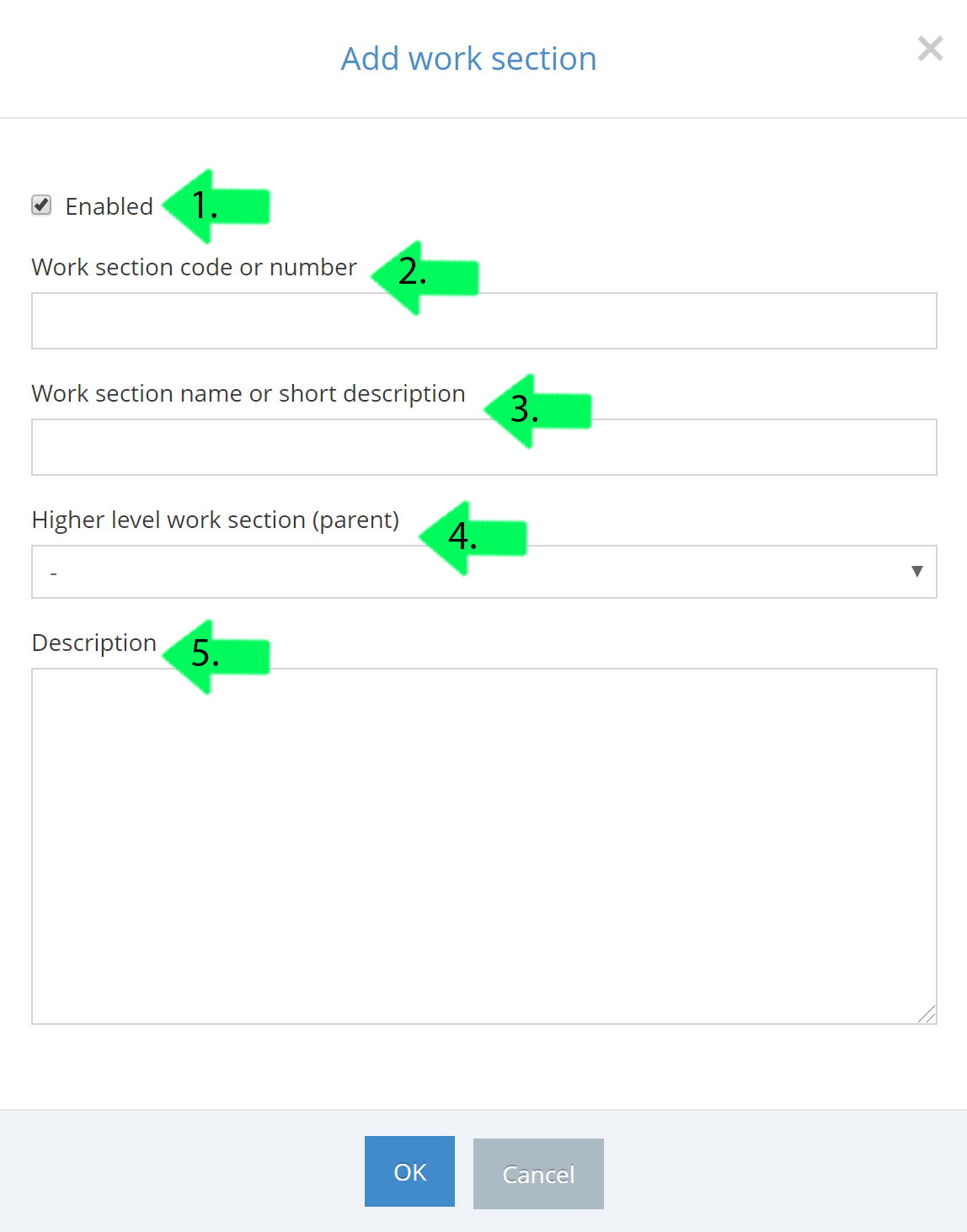
1. Tick the box if you want the work section to be available in the Congrid App.
2. Set an order number.
3. Enter a work section's name
4.Set a higher level work section (which higher section under the work section will be entered).
5. Type in a longer, more descriptive explanation for a work section. (The description will appear in the grey information icon next to the work section).
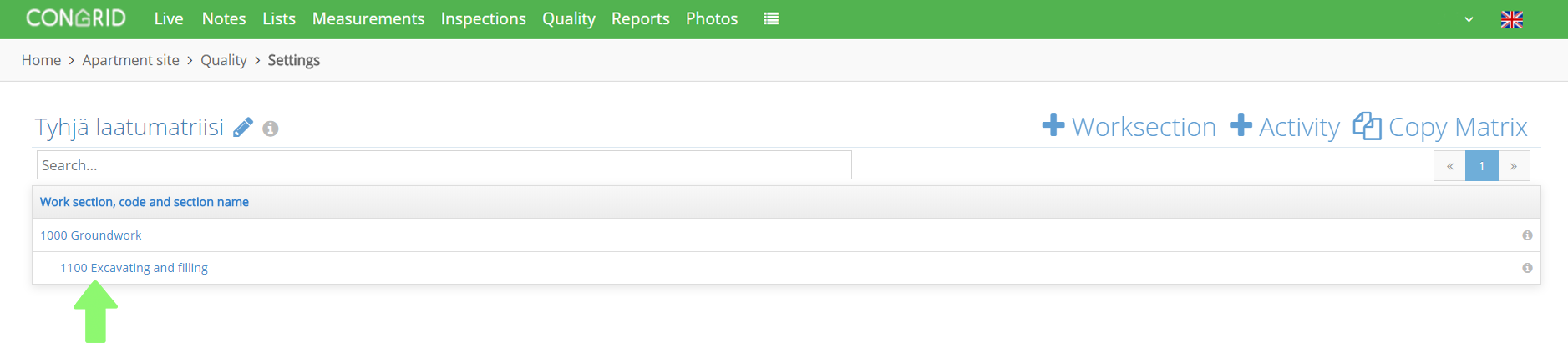
When work sections have been added successfully, the quality matrix -page will appear in the following way:
Comments
0 comments
Please sign in to leave a comment.