
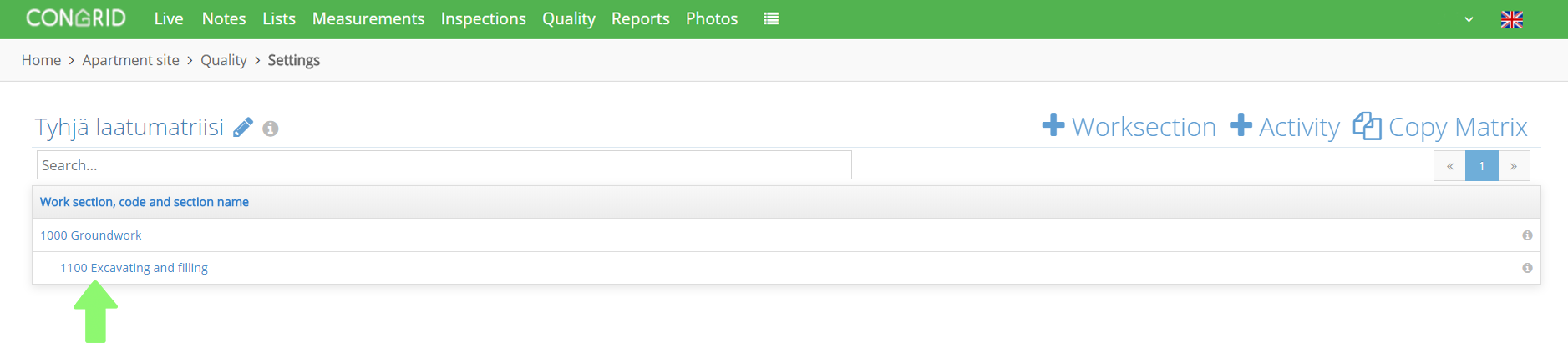
Start by clicking Quality.

Then click the work section you want to add a document to.
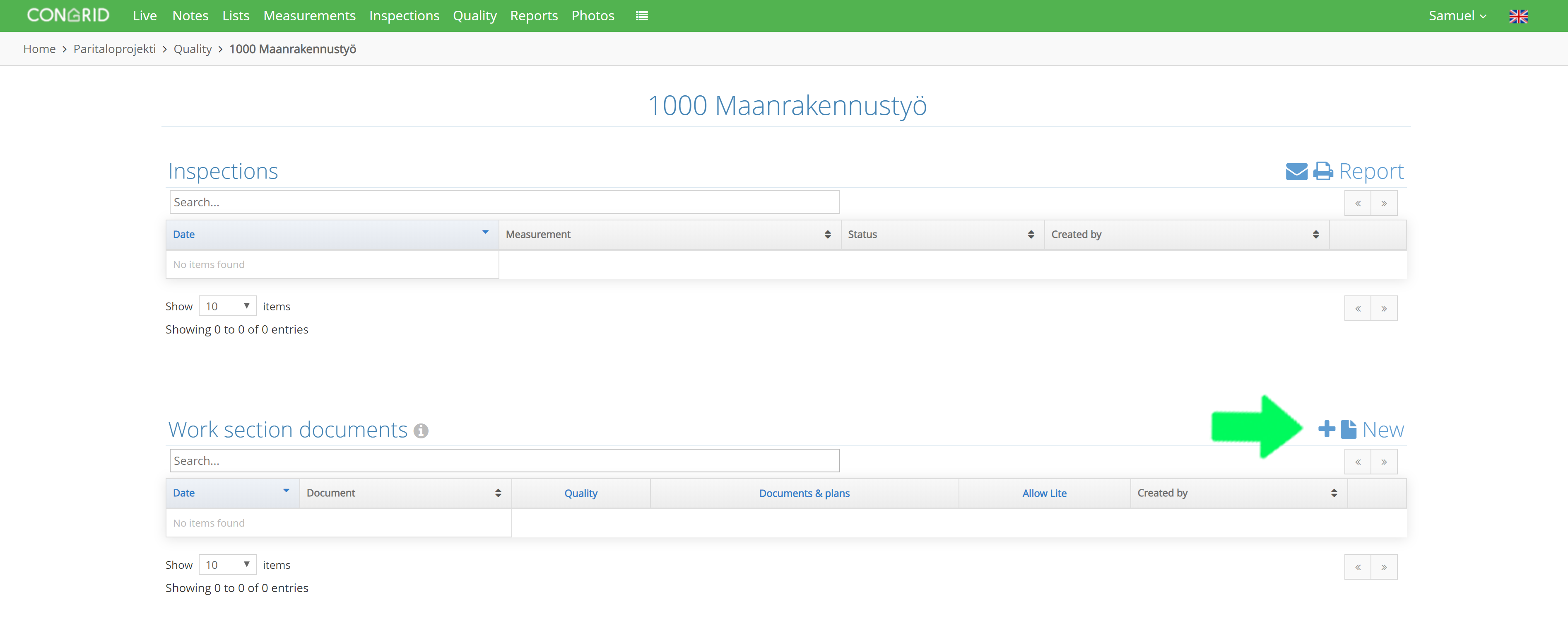
Select + New in the work section documents section.
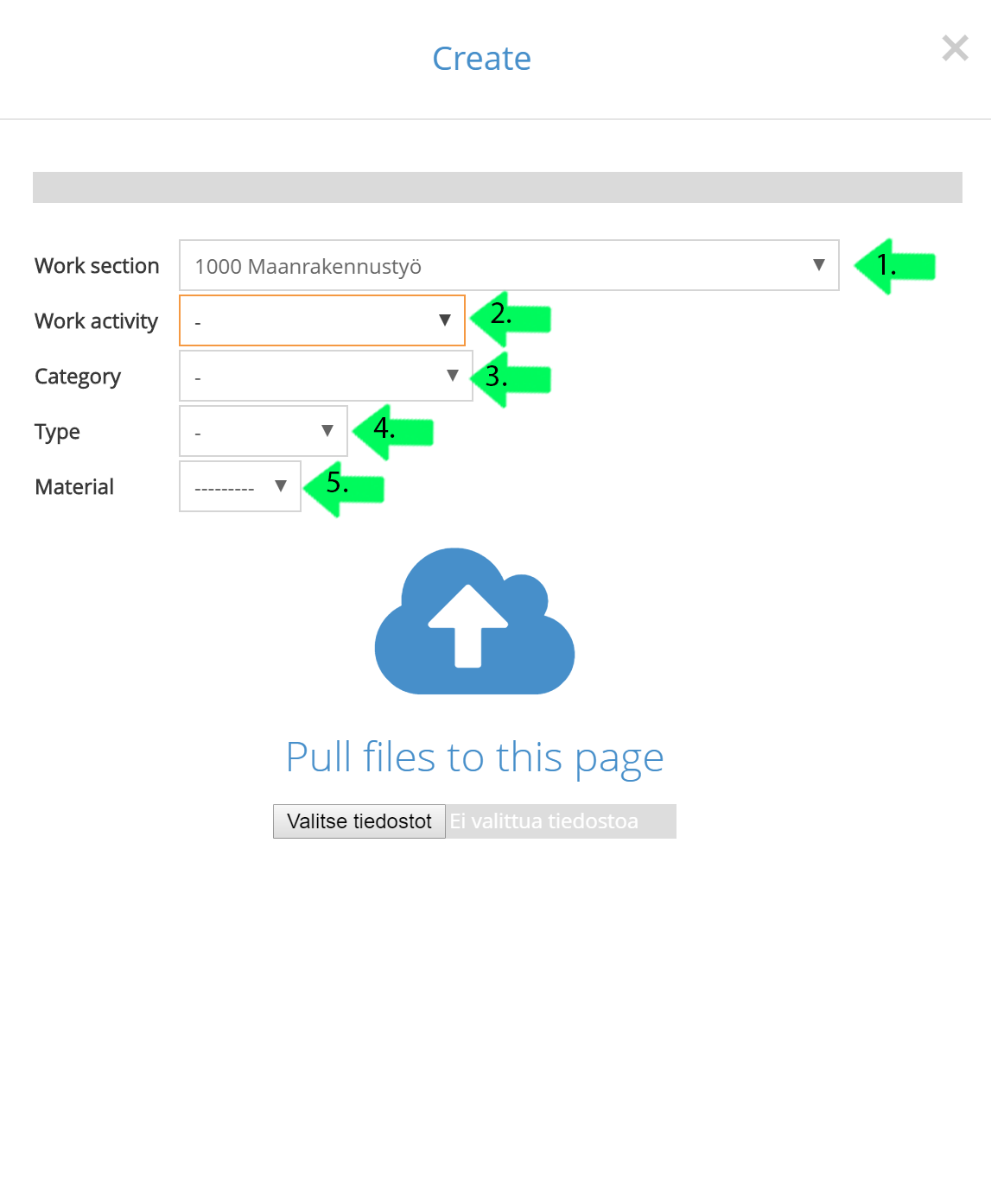
Select a pdf file you want to add to a work section.
1. Select a work section (Default section will be the one you clicked earlier)
2. Select an inspection, available inspections are from your quality matrix.
3. Category
- Information
- Safety
- Quality
- Cost & Schedule
- Environment & Logistics
- Summary
4.Type
- Agreement
- Document
- Plan
- Cost
- Schedule
5.Material
The work section is the only obligatory field.
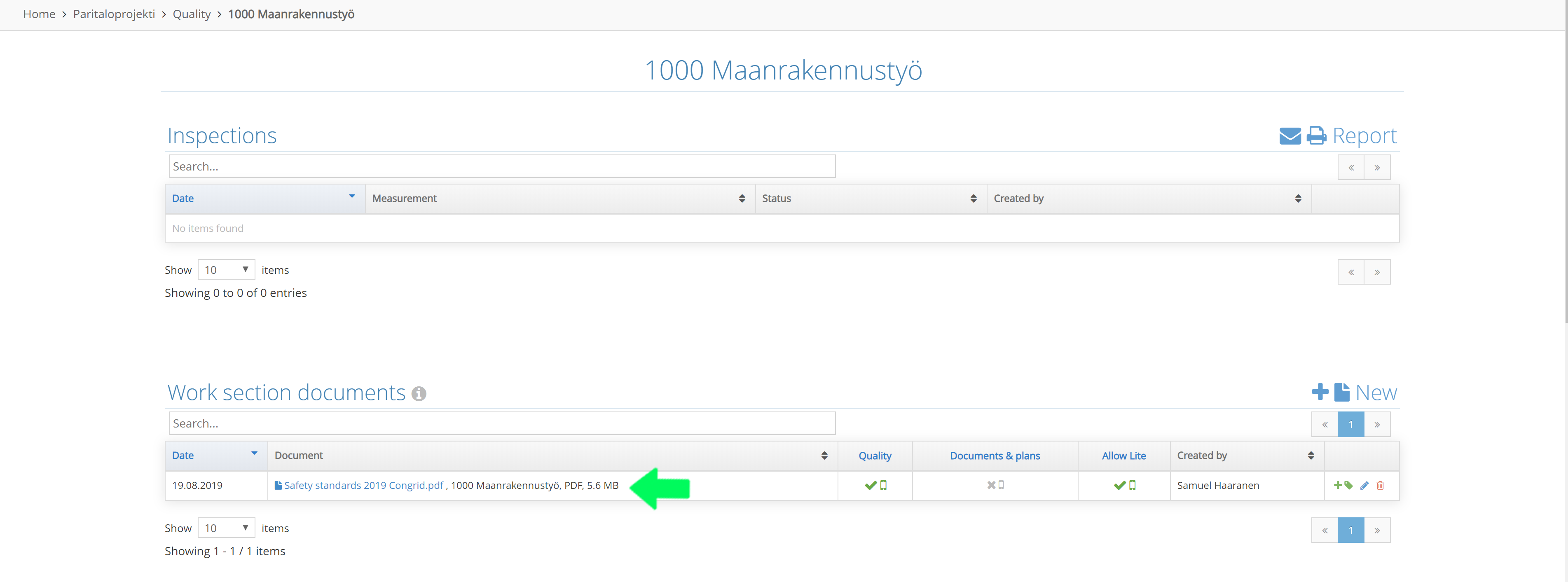
After a document has been successfully uploaded it will be visible in the following way and you will be able to see it in the application when carrying out quality inspections for a work stage.
Comments
0 comments
Please sign in to leave a comment.