
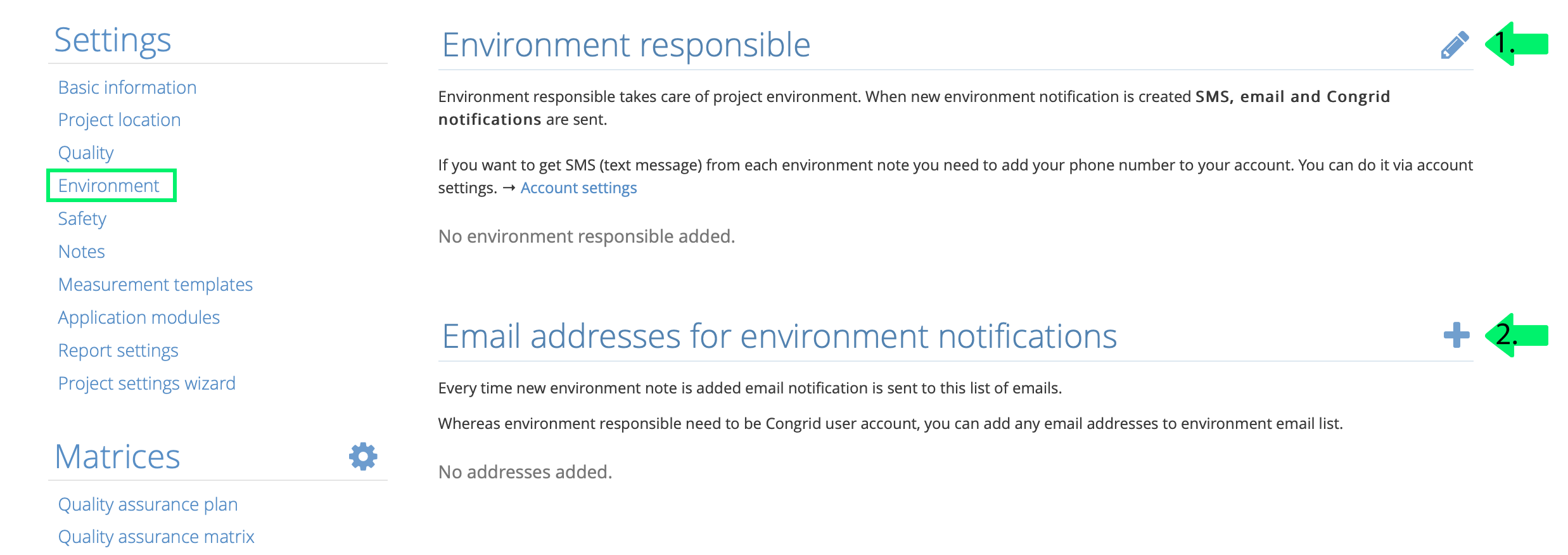
In the project settings, go to Environment to specify the project’s responsible persons for environment and the email addresses for environment notes.
- From the project users, select the project member responsible for the environment. When a new environment note is created for a project, the responsible person receives an SMS and email notification.
- Add the addresses to which an email notification should be sent whenever a new environment note is created for the project. You can add the required email address to the mailing list without a Congrid account.
Comments
0 comments
Please sign in to leave a comment.