
First, click Project Settings.

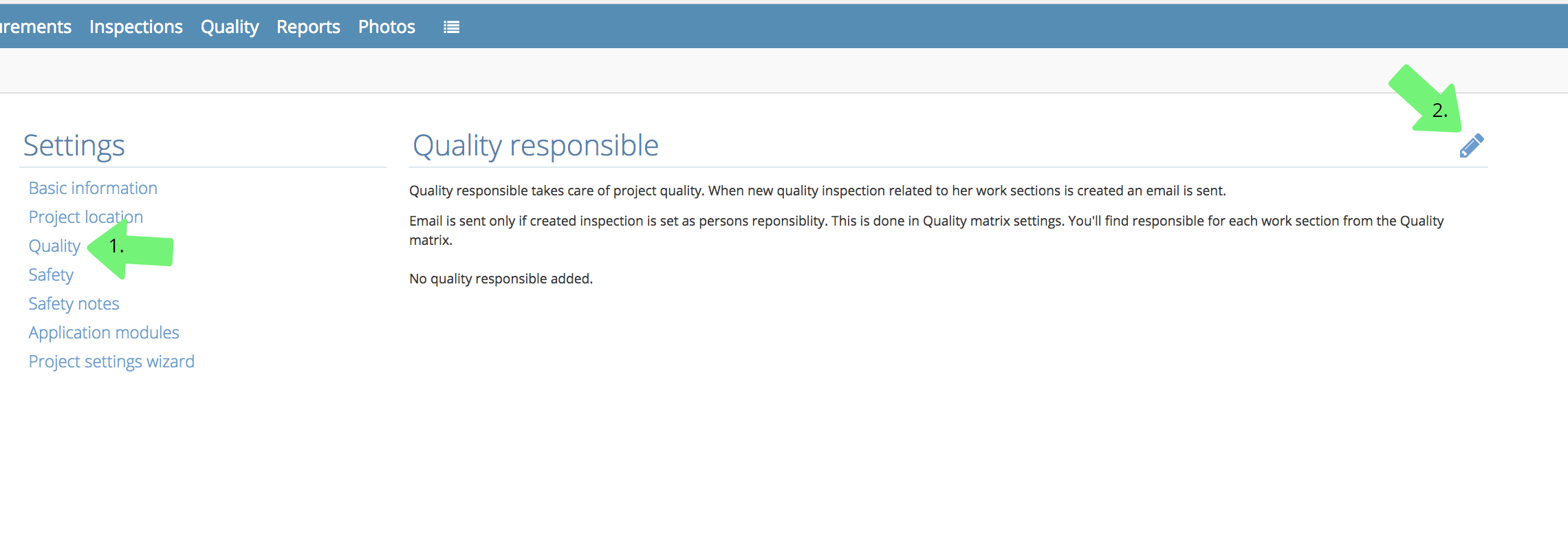
1. Then click Quality.
2. Set the person in charge by clicking the pen icon. This person has to be already added to the project.
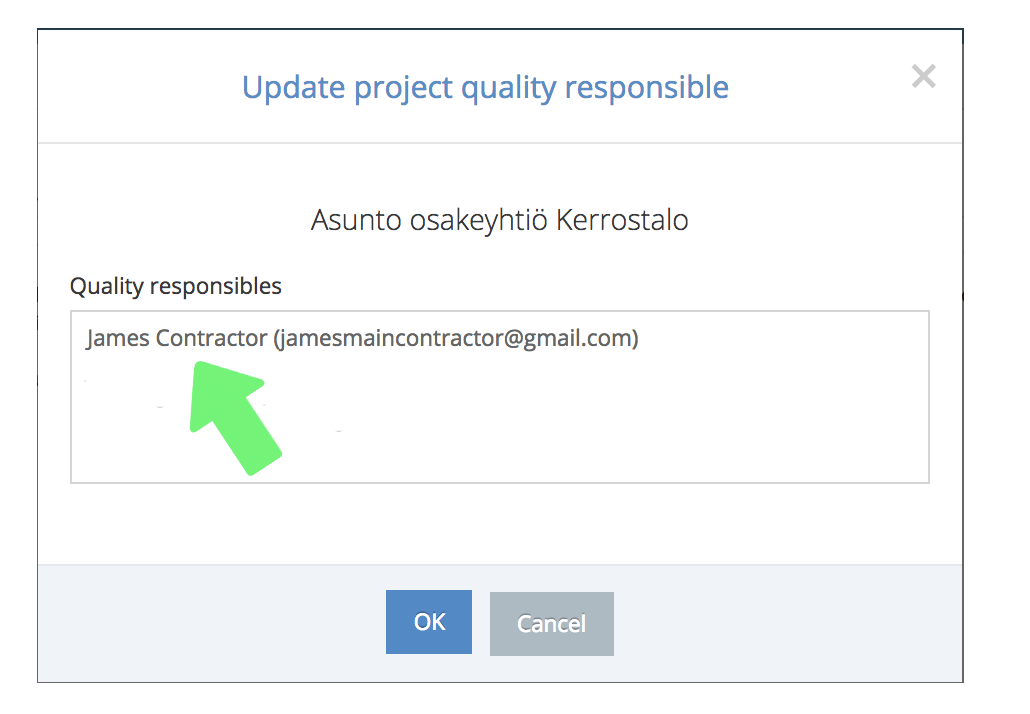
After choosing the person, click OK to save.
When a new quality inspection is made, an email will automatically be sent to the person in charge. The email will be sent when an inspection deals with phases that they are responsible for. Persons responsible for different work stages can be set in the quality matrix's settings. You can also inspect all persons in charge in the quality matrix view.
Comments
0 comments
Please sign in to leave a comment.