
You can edit basic project data in project settings (select from dropdown menu).
Only an administration of a project or a person who has admin rights can edit this information.
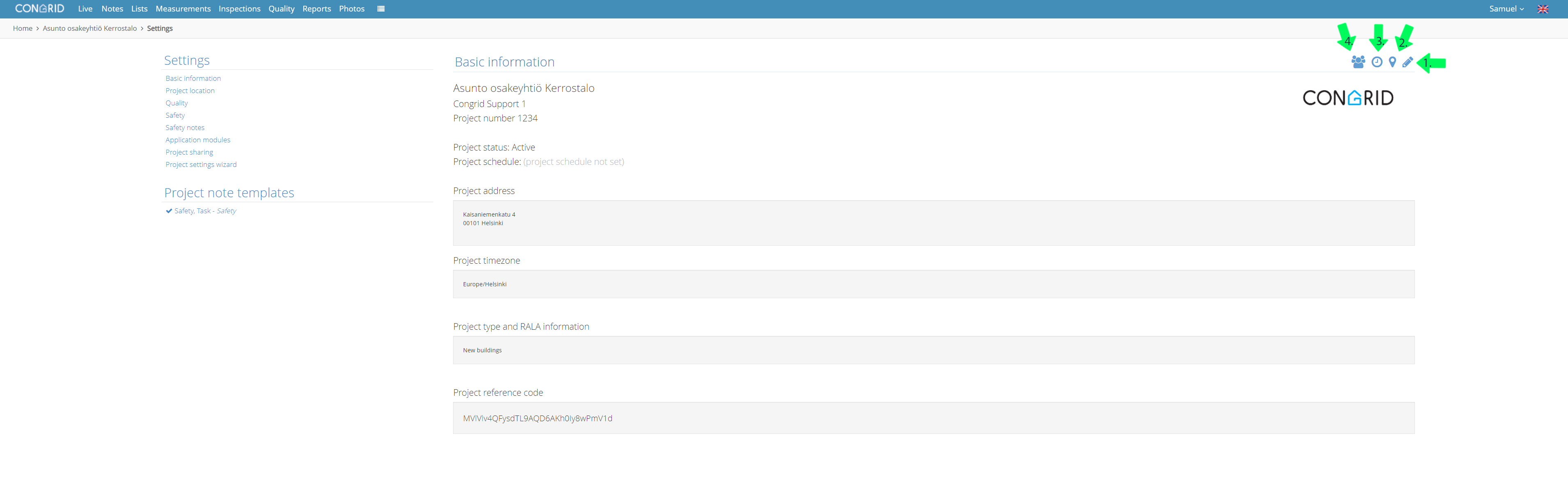
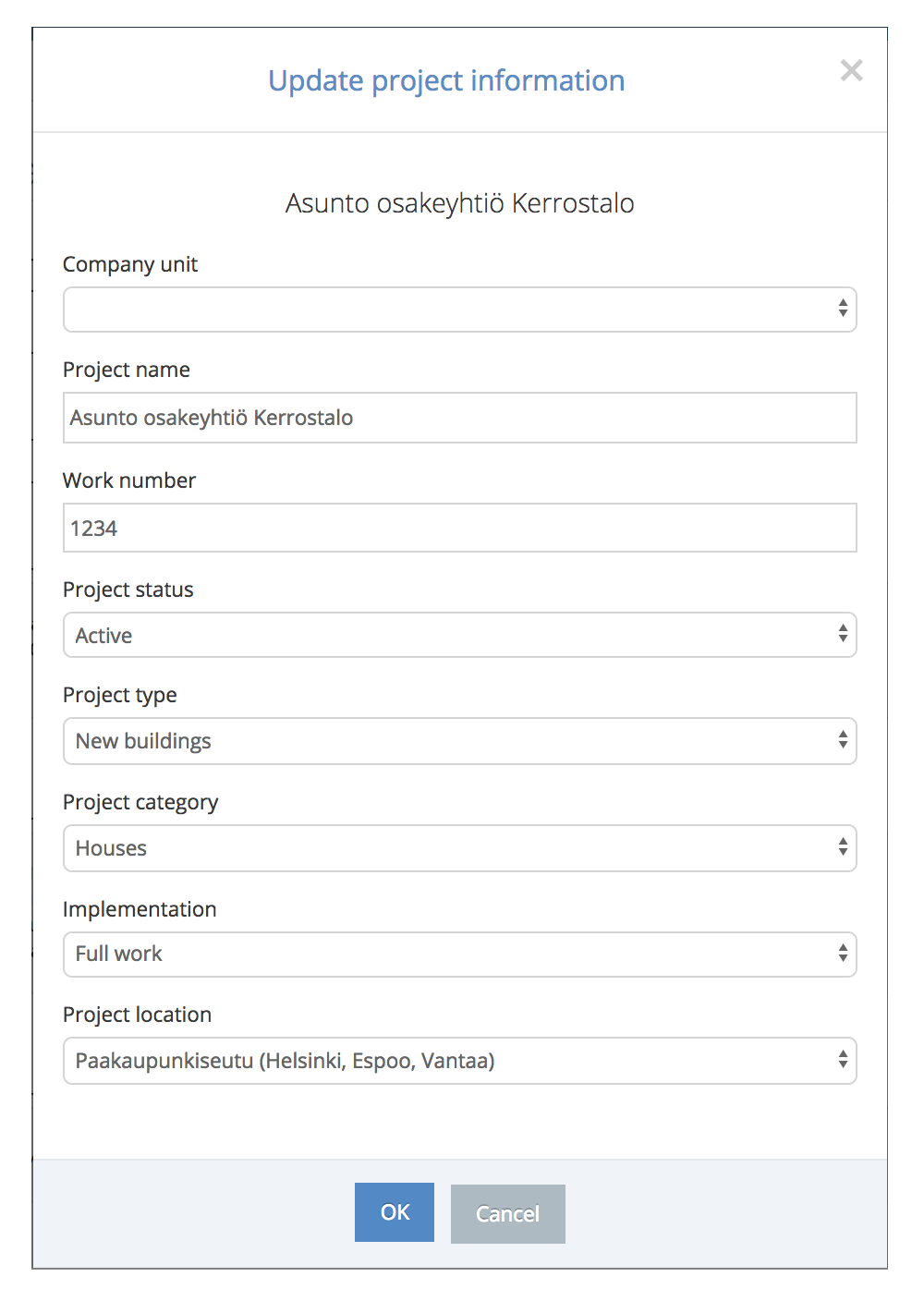
Part 1: You can add a project's name, work number and its type
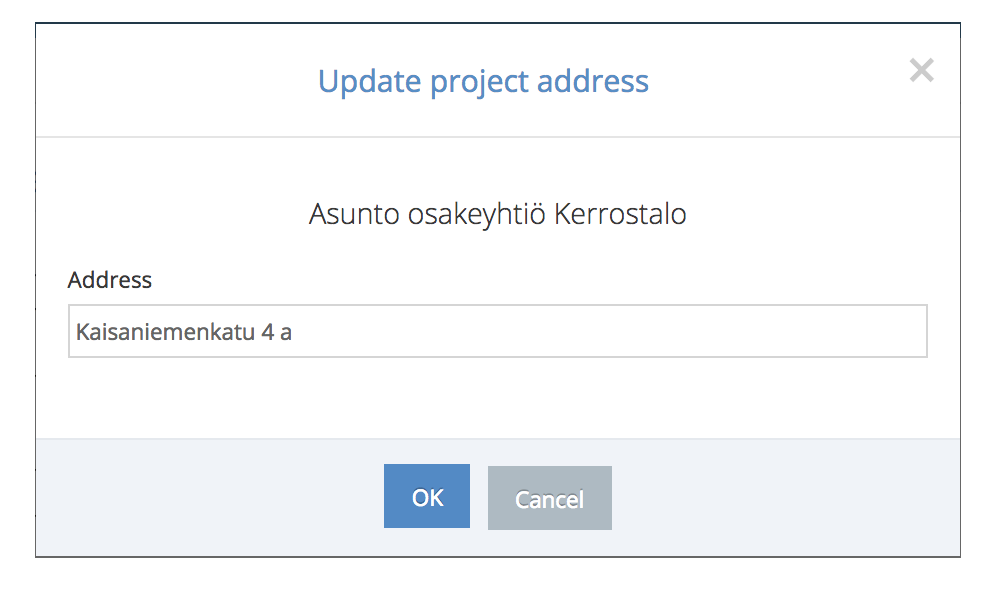
Part 2: You can add an address of a project. You can also do this on the Location page.
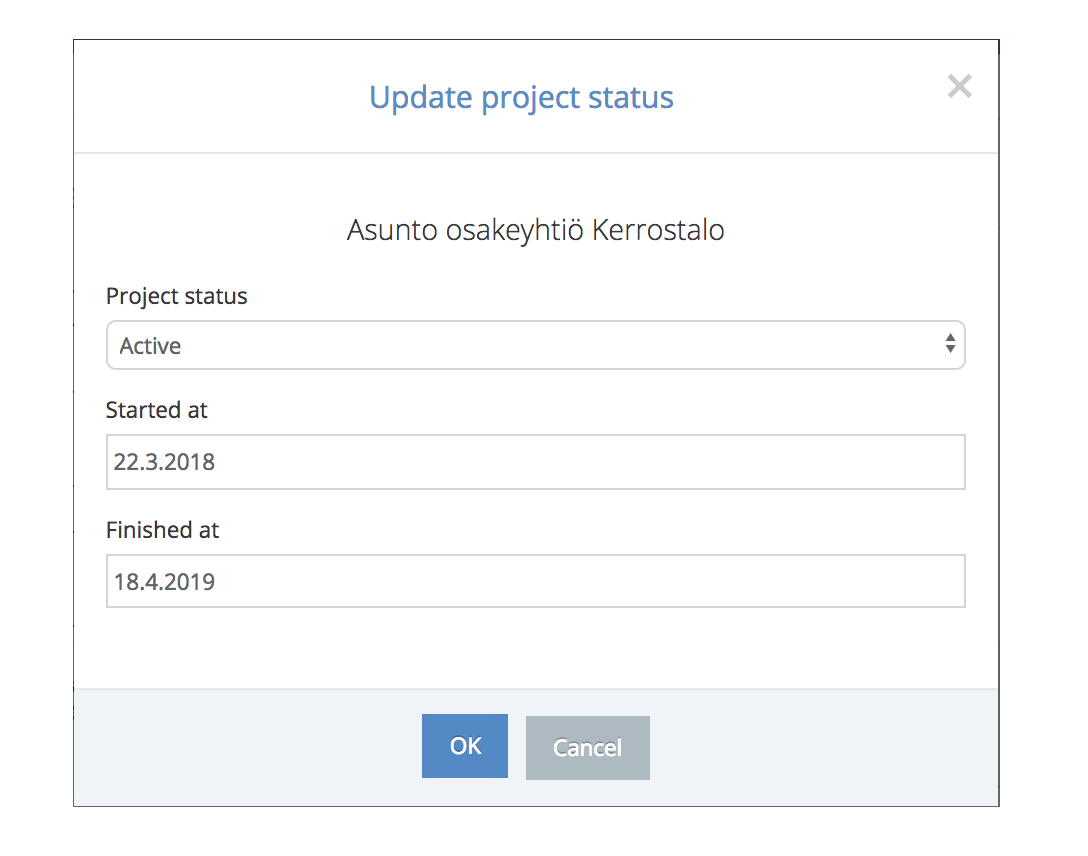
Part 3: You can edit the status of the project. This can be, for example,
Active or Warranty Repair.
You can also add a starting and completing date for a project.
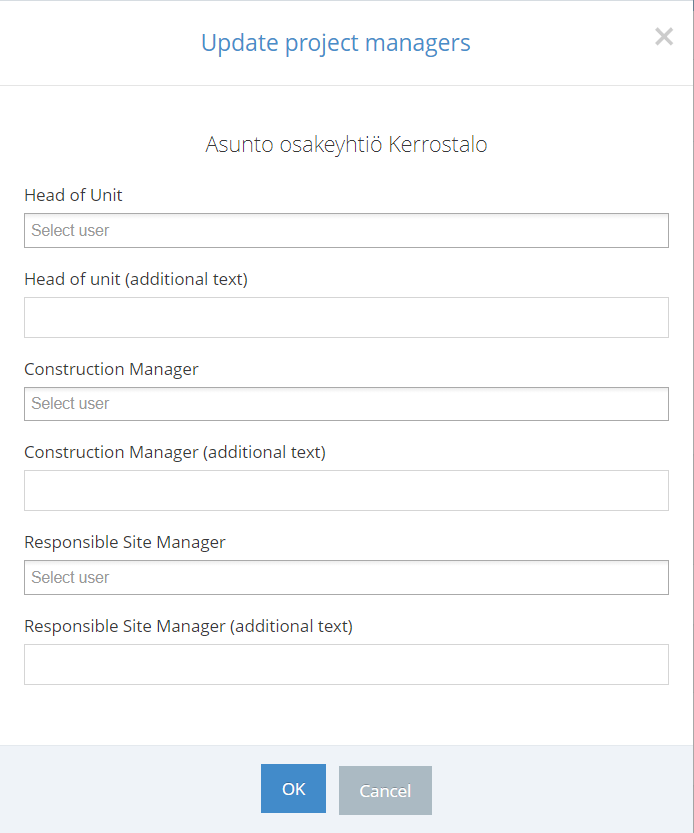
Part 4: You can edit project managers. For example, you can edit the Head of unit, Construction manager and the Responsible site manager. You can also add additional information if needed.
Comments
0 comments
Please sign in to leave a comment.