
First, click Notes on the top menu bar

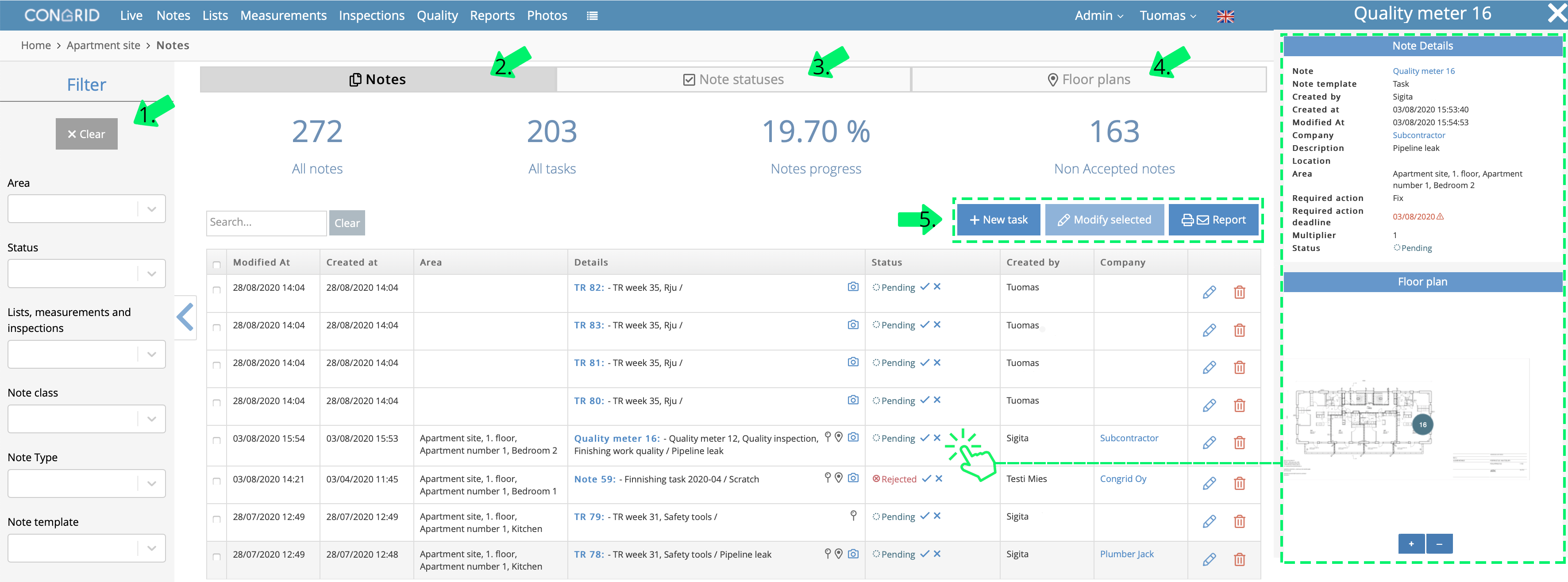
The following features can be found on the Notes page:
- Filtering notes - You can filter notes by area, status list and many other variables.
- Notes - Notes open on the page automatically, and they are shown one by one on the list, with the latest shown first.
- Note statuses - This shows the statuses of the notes by contractor, location, work section and list.
- Floor plan - With this, you can filter the notes according to the floor plan in a wide view
- Create a new task, edit the selected notes or create a report of filtered notes.
On the right side, there is a preview function, from which you can view the information of the note. The preview can be opened by clicking the horizontal row of the note in question.
Comments
0 comments
Please sign in to leave a comment.