
You can edit several notes at the same time. Open the Notes Page to start.

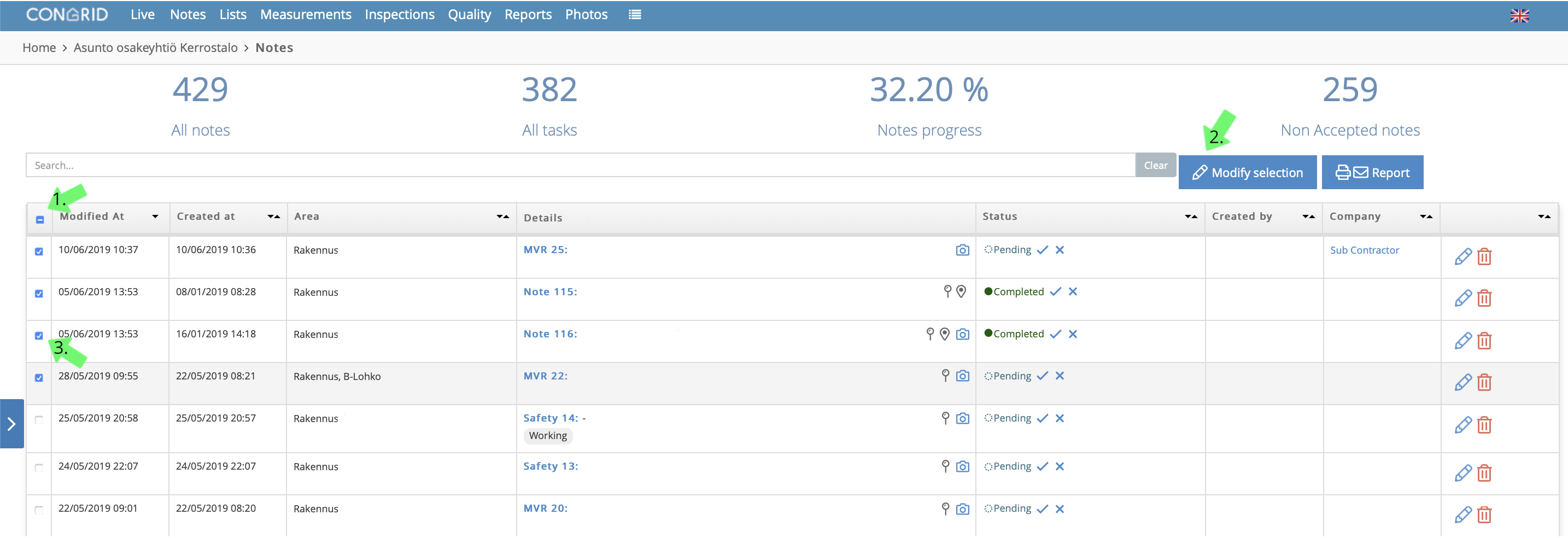
1. Click to select all notes. It is possible to filter notes before choosing the option.
You can only select one page at a time for mass editing.
2. Start editing the selected note by pressing Modify selection.
3. Select individual notes you want to edit.
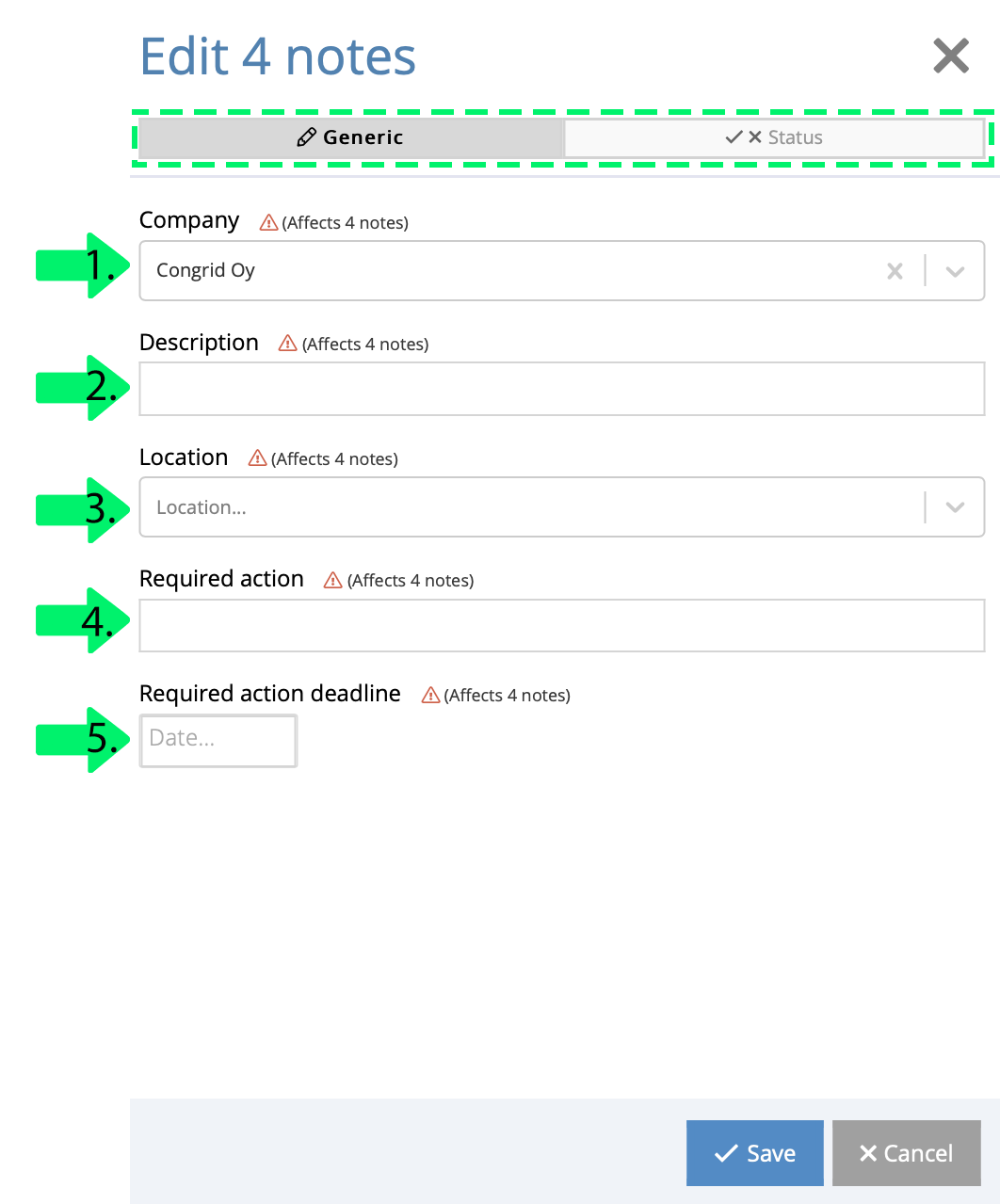
You can mass edit the following note features:
1. Company
2. Description
3. Location
4. Required action
5. Deadline for required action
Comments
0 comments
Please sign in to leave a comment.