
First, open the Project Menu on Congrid Live. Then choose a project that has been activated for CongridLITE user.
1. Click the project by clicking its name. Please note, a CongridLITE user may have several projects.

After choosing a project, the page goes to CongridLITE Contractor Page. On this page, you can view all your company's notes and their status.
Acknowledge all notes by clicking the note's status edit icon.

A new popup window appears.
1. Change note status
2. Add a comment
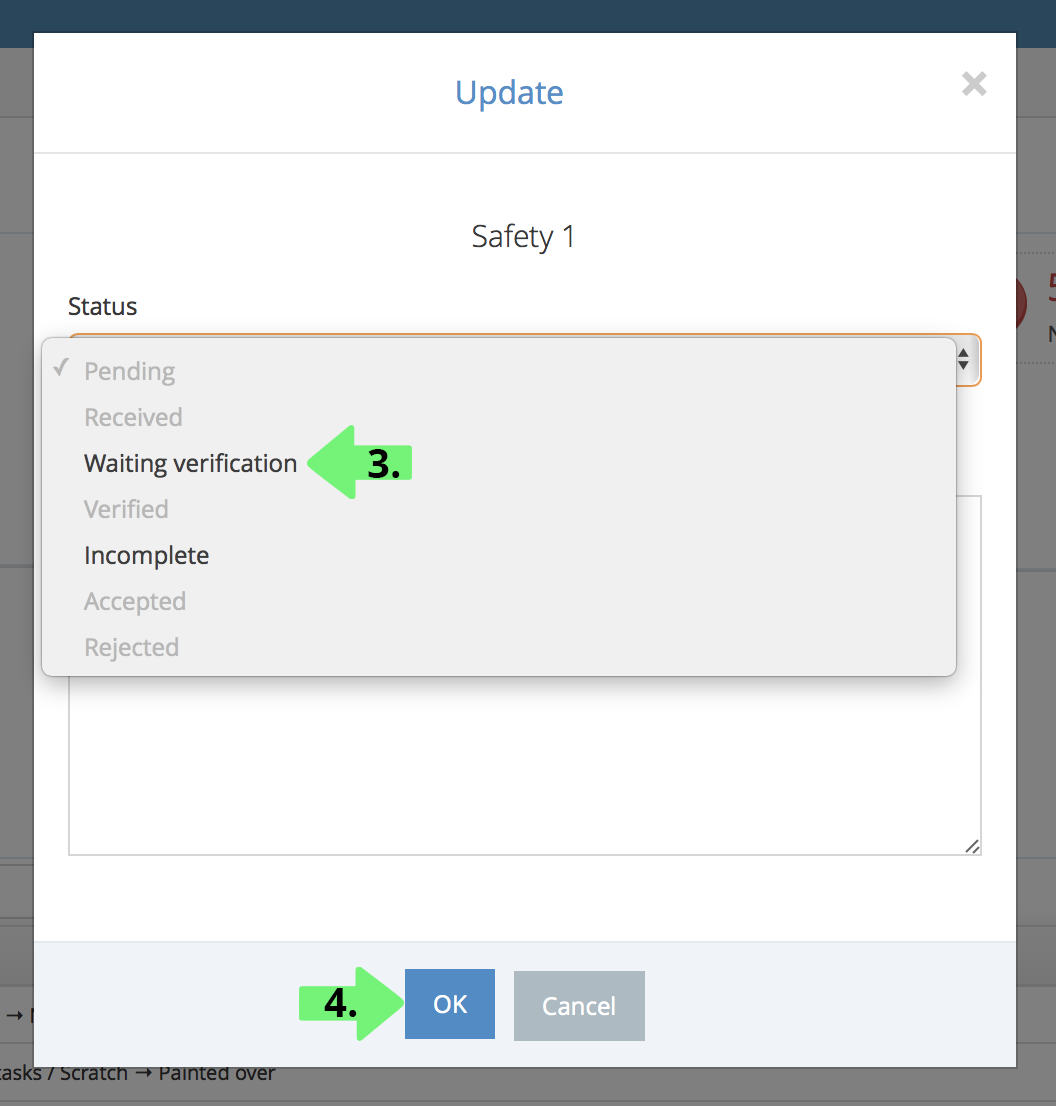
3. Note status can be Pending, Received or Completed
4. Click OK to continue
Please note, you can also acknowledge notes on Congrid Mobile App.
Comments
0 comments
Please sign in to leave a comment.