
You can define workgroups responsible for inspection document tasks. This article outlines how workgroups are created and edited.
Start by clicking on Work Groups

This will open a workgroup formation window where you can view all the workgroups set for the project and their descriptions and members.
- Next, proceed to edit and define workgroups in the section indicated by the arrow.
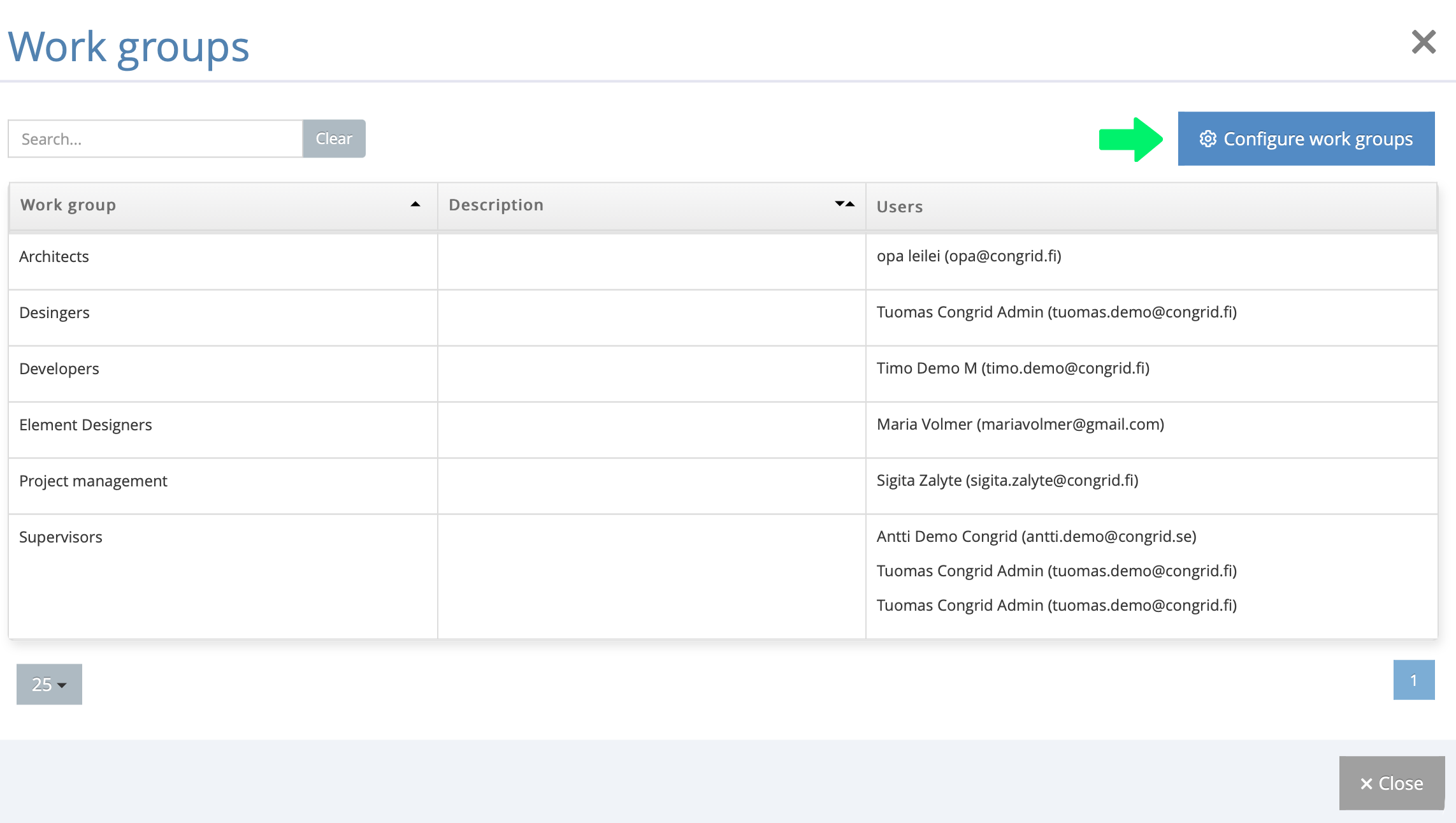
Edit and create workgroups
You are directed to the project user view. Scroll down the page until you find the workgroup editing view.
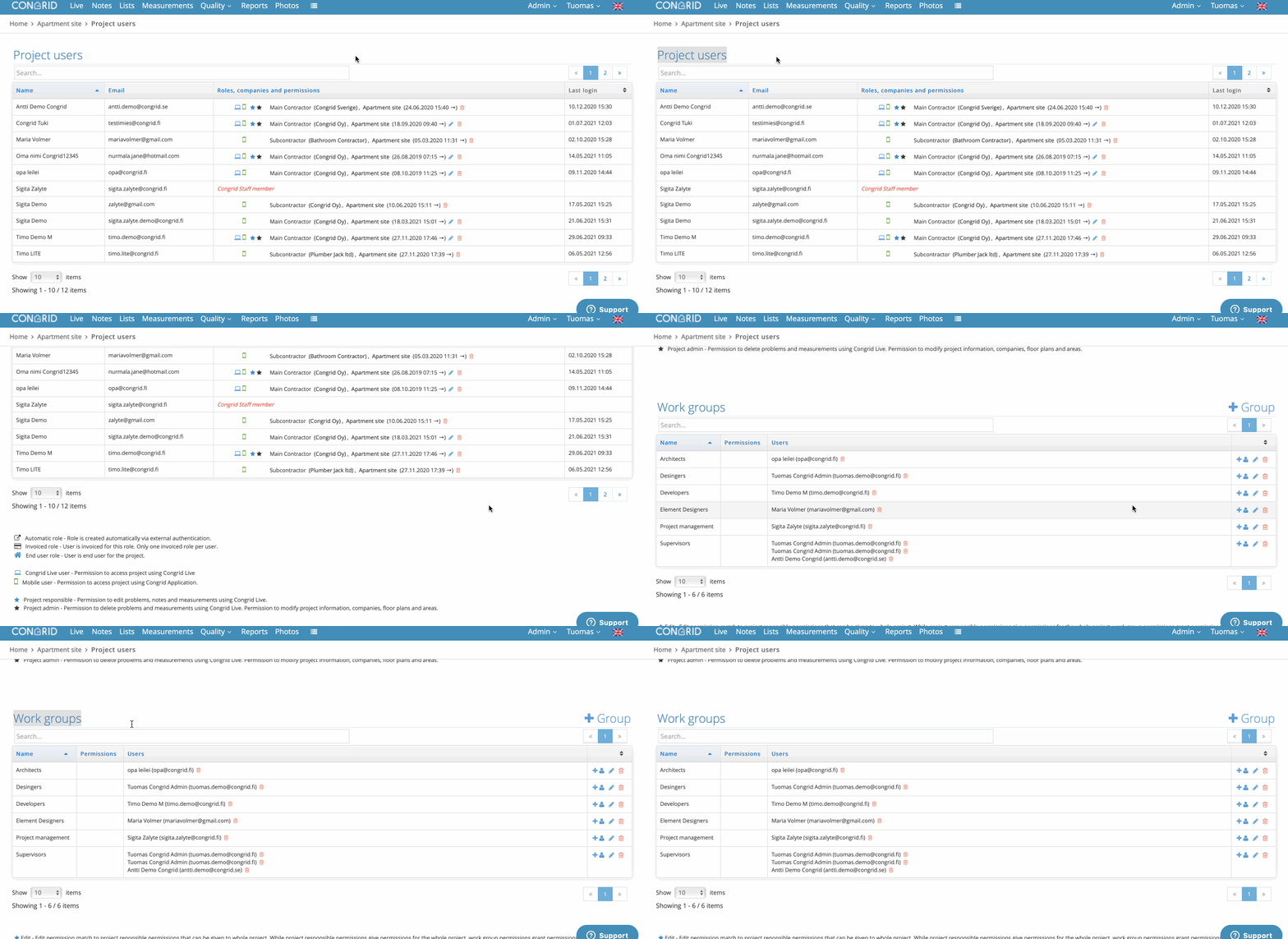
Tip: You can also access the same view by selecting Project users from the top bar drop-down menu.
Editing workgroups – functions
 Add user to a workgroup
 Delete a workgroup/user from a workgroup
 Edit a workgroup and its rights in the tasklist edit view
Creating workgroups
Workgroups will be available for all project lists/inspection documents.
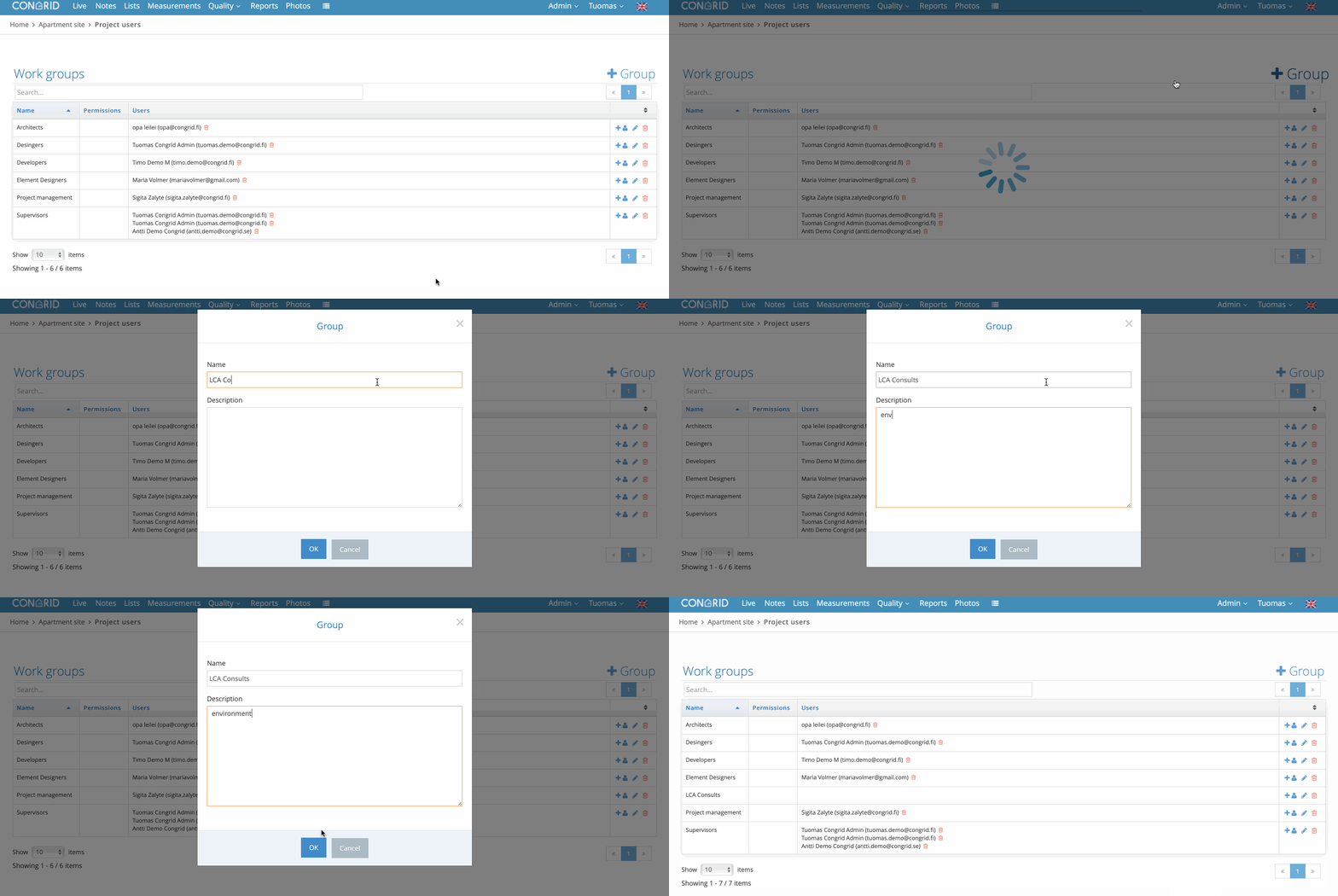
Add a new workgroup by clicking on +Ryhmä (+Group)
- Enter the workgroup name
- Enter a description for the workgroup
Adding users to a workgroup
- Next to the workgroup, select
- Select a user from the drop-down menu
- Select OK
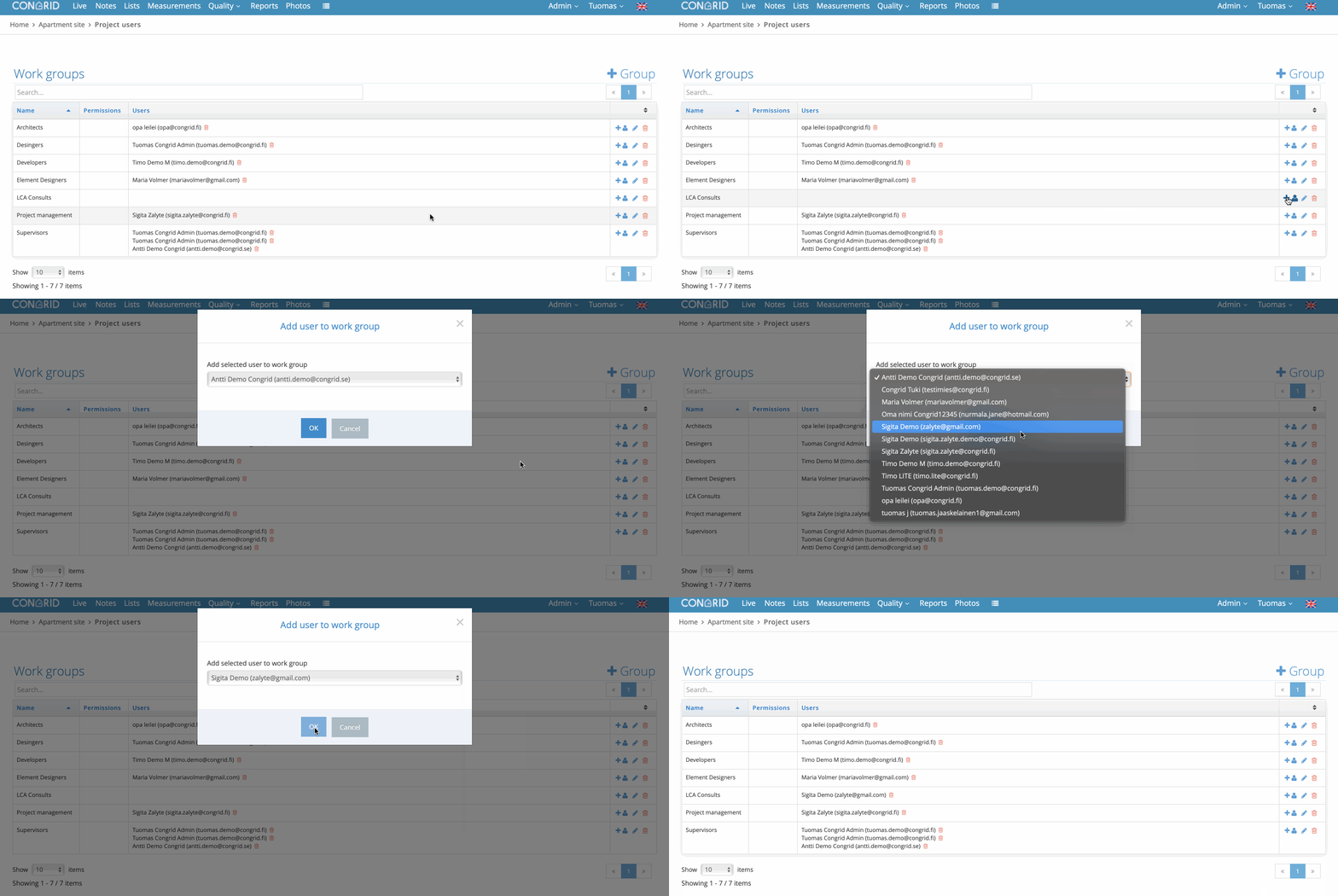
A user can be in several workgroups simultaneously. There is no limit to how many members one workgroup can have.
Granting workgroup rights
If you grant workgroup rights through the Workgroups view, other persons or workgroups cannot edit, remove or approve/reject inspection document tasks under the management of this workgroup.
If rights are not granted to specific workgroups, all right combination contractors and supervisors can edit inspection document tasks. In this combination, the project’s main users have the right to edit workgroup rights at any time in accordance with these instructions.
Only rights to edit the content of inspection documents can be granted on the Työryhmät (Workgroups) page.
- Click on the icon next to the workgroup
- Select the rights
- Select OK
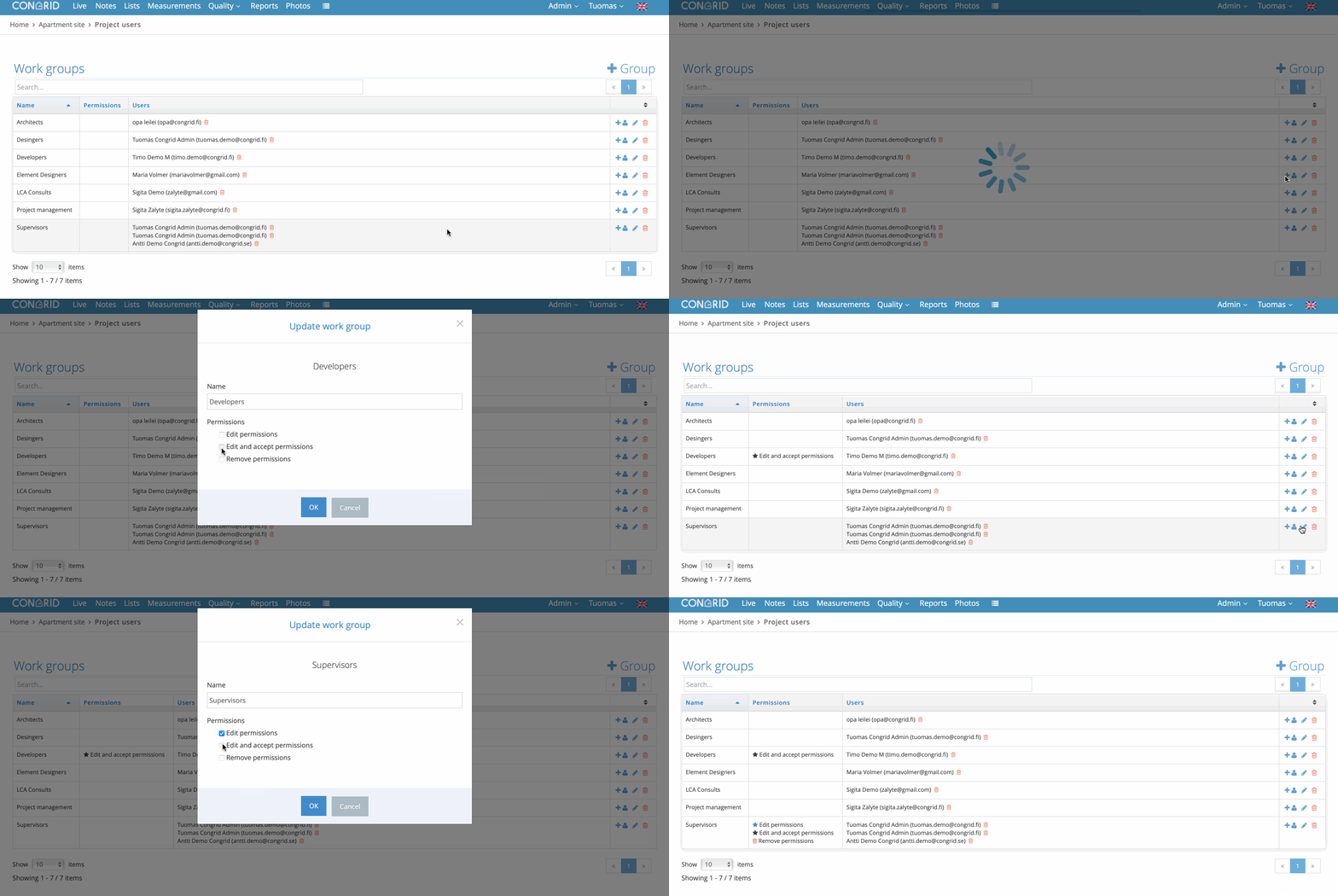
Q&A list – Rights
 Edit – The rights to edit inspection document tasks are similar to the rights of the project’s responsible person, which may apply to the entire project. The project’s responsible person’s rights can be set to be applicable to the entire project, but the workgroup’s rights only apply to objects that are linked to the workgroup.
 Edit and approve – The rights to edit and approve inspection document tasks are similar to the project administrator’s rights, with the exception of the right to remove objects. A user can edit and approve linked objects, such as notes.
Remove – A user is granted the right to remove objects that are linked to the workgroup. A user who has been granted the right to remove objects does not have the right to perform any other functions.
Comments
0 comments
Please sign in to leave a comment.