

Start creating a new memo by clicking Memos.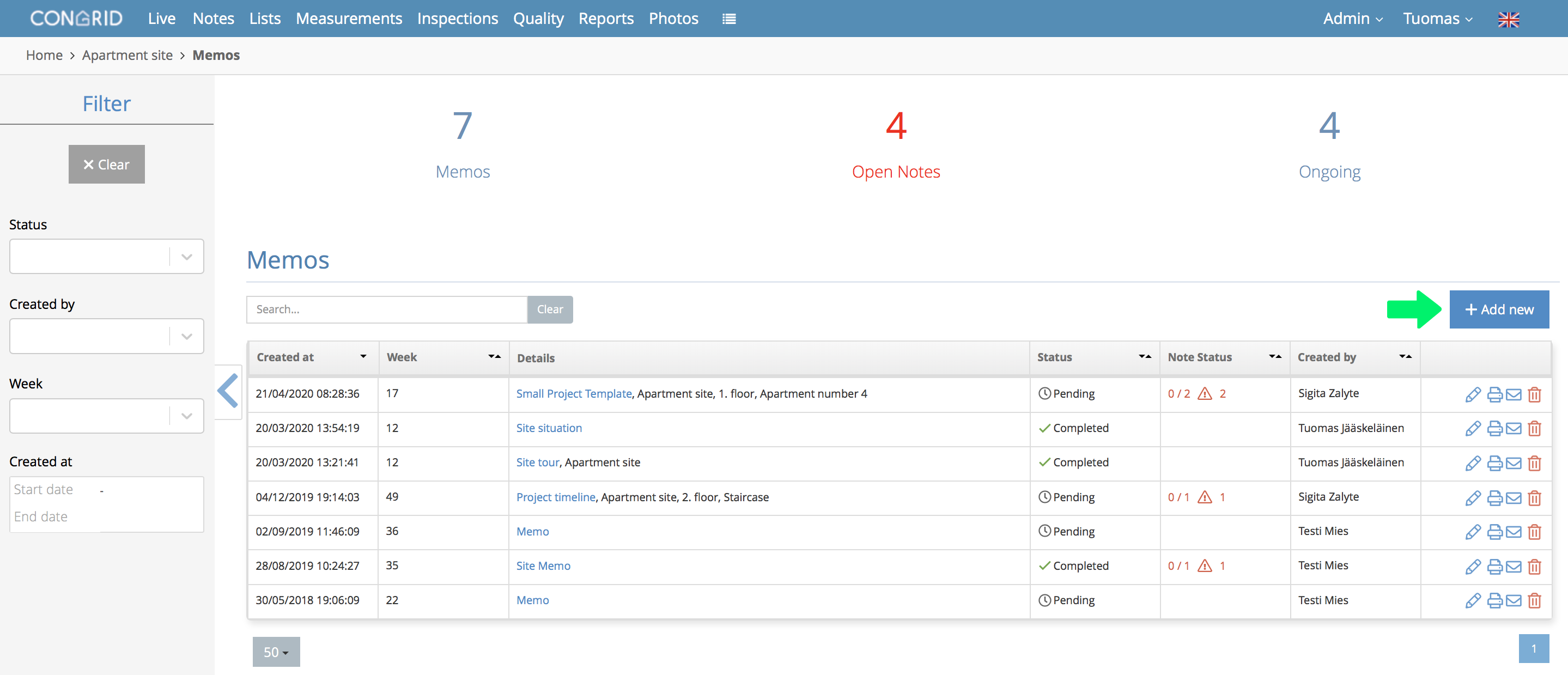
Click + Create new.
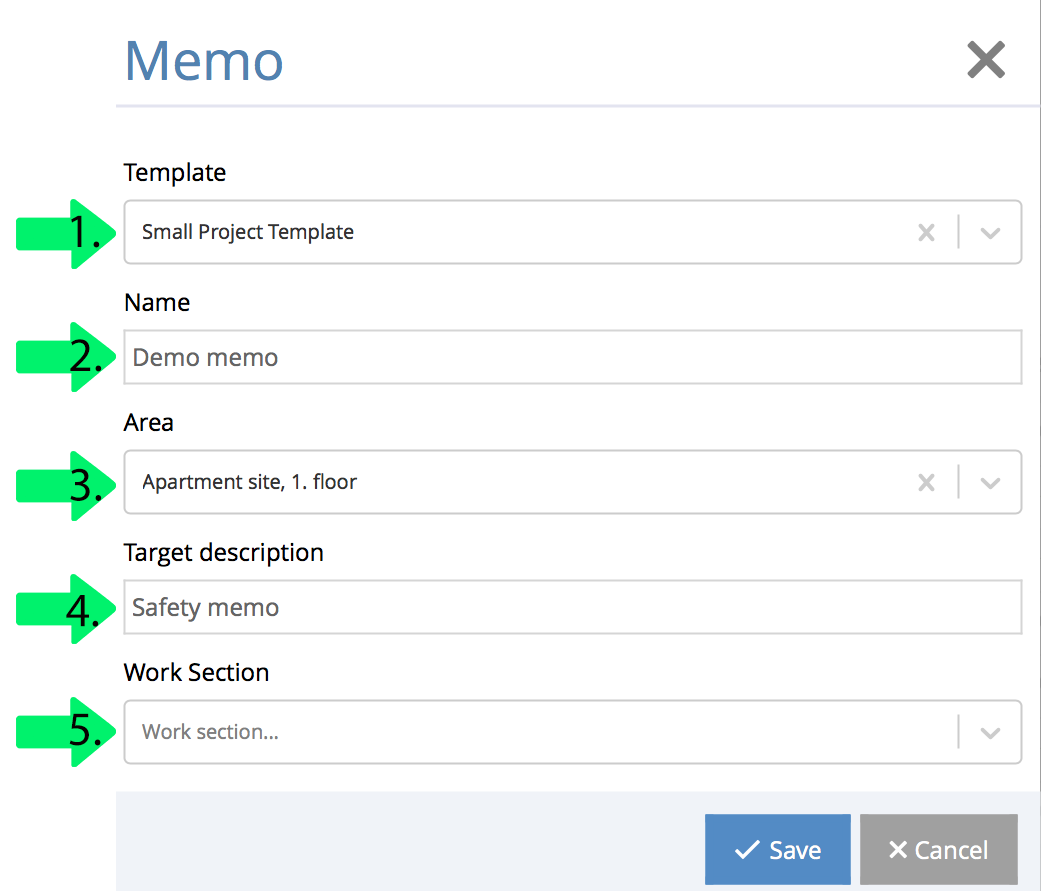
A new pop-up window appears. Define a memo's information.
1. Template
This option defines a memo's inspection parts.
2. Name
3. Area
4. Target Description
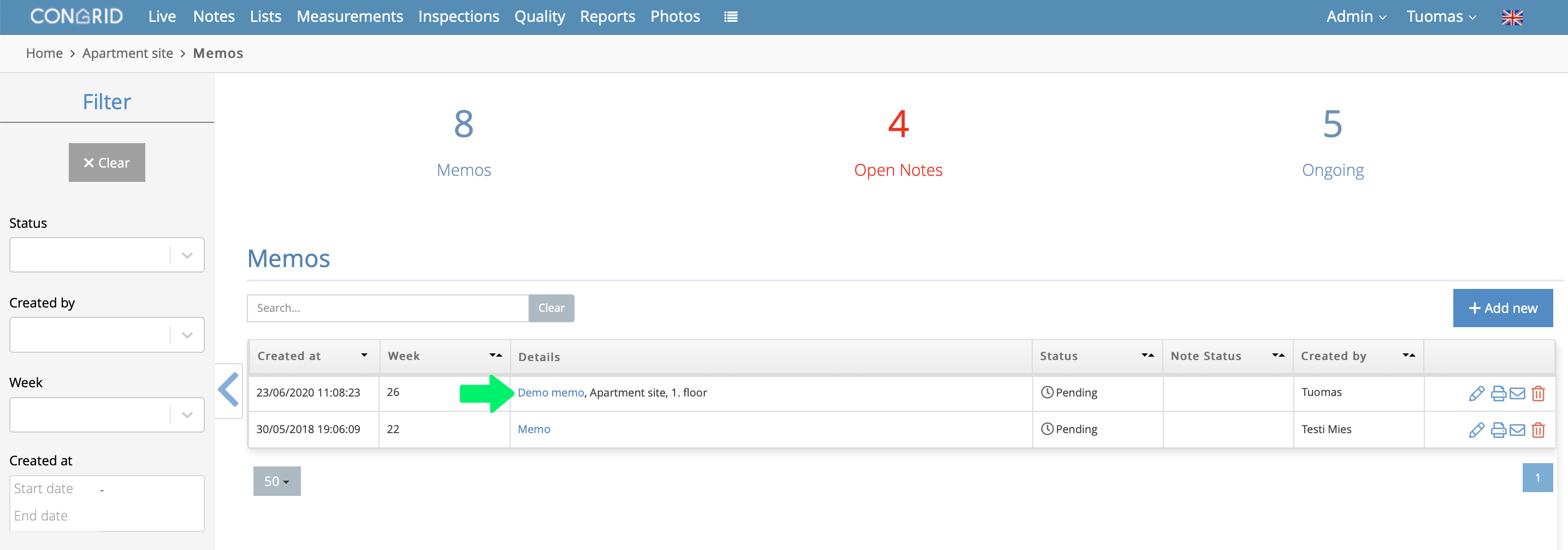
After saving, a new memo will appear on Memos tab.
Click a memo's name to add notes to it.
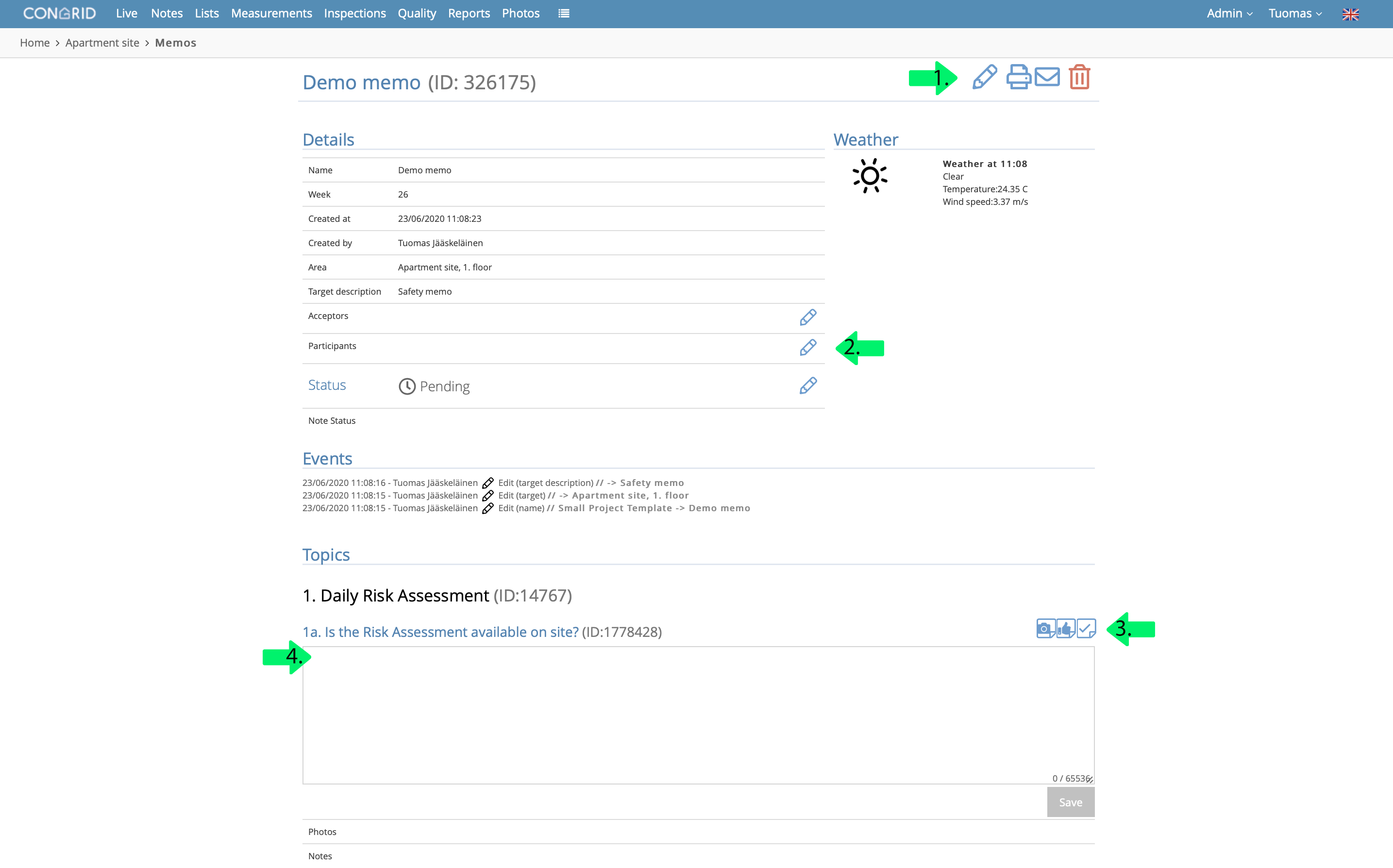
You can edit the following things on a memo's editing tab.
- Edit a Memo's information.
- Define Acceptors, participants and a memo's status
- Add a photo note, positive note or task note
- Write additional information to a memo's part
- View an inspection part's notes.
Button qualities:
 Create a new photo note
 Create a new task note.
 Create a new positive note.
 Create a PDF report.
Comments
0 comments
Please sign in to leave a comment.