
Open the Menu on the top-right corner and click Memos.
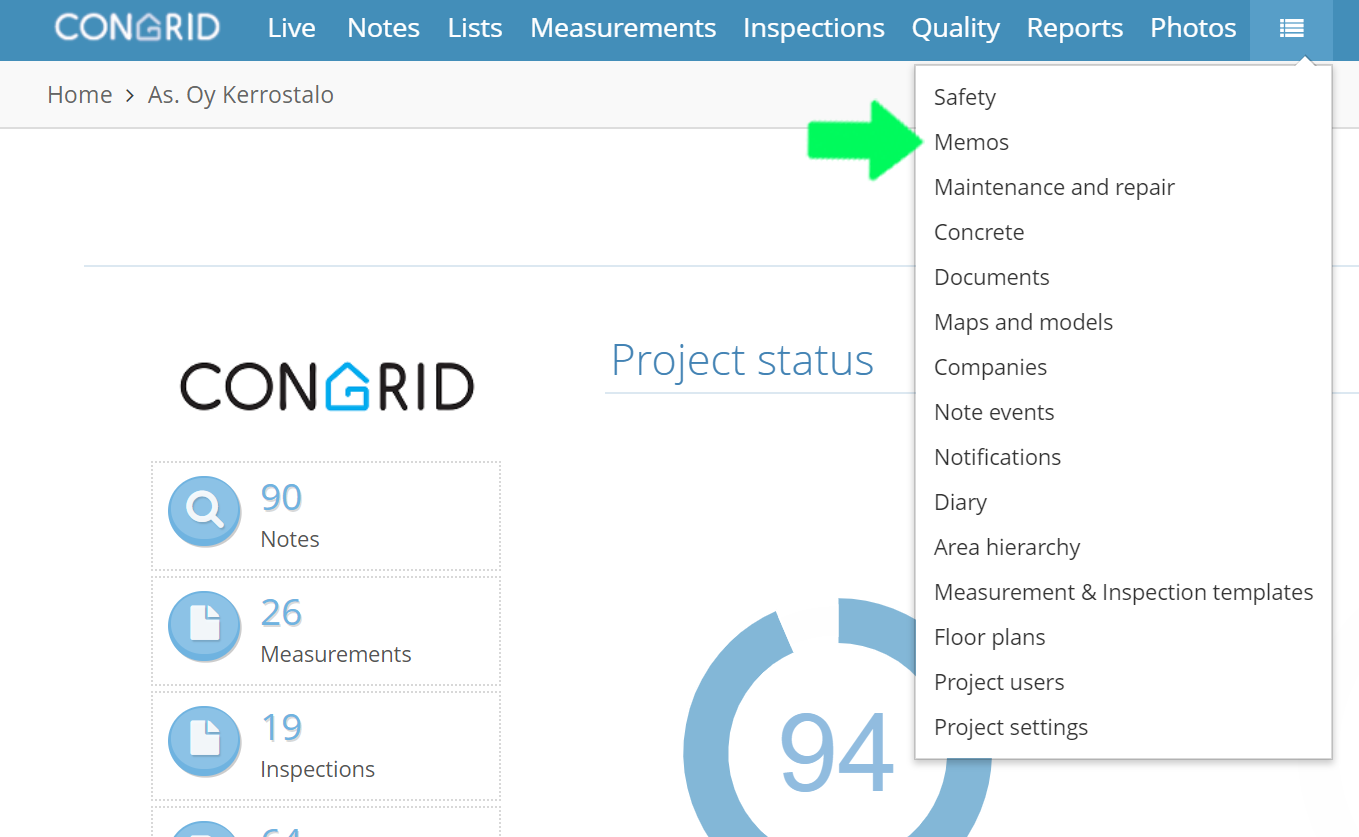
1. View the memo by clicking it.
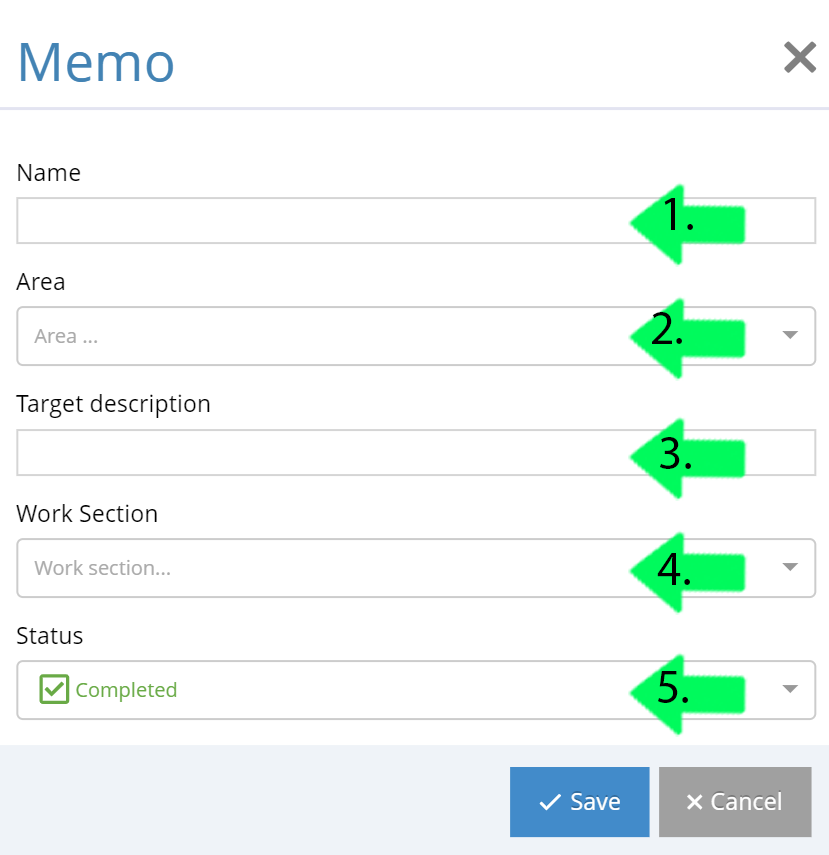
2. Edit a memo's information by clicking the pen icon. 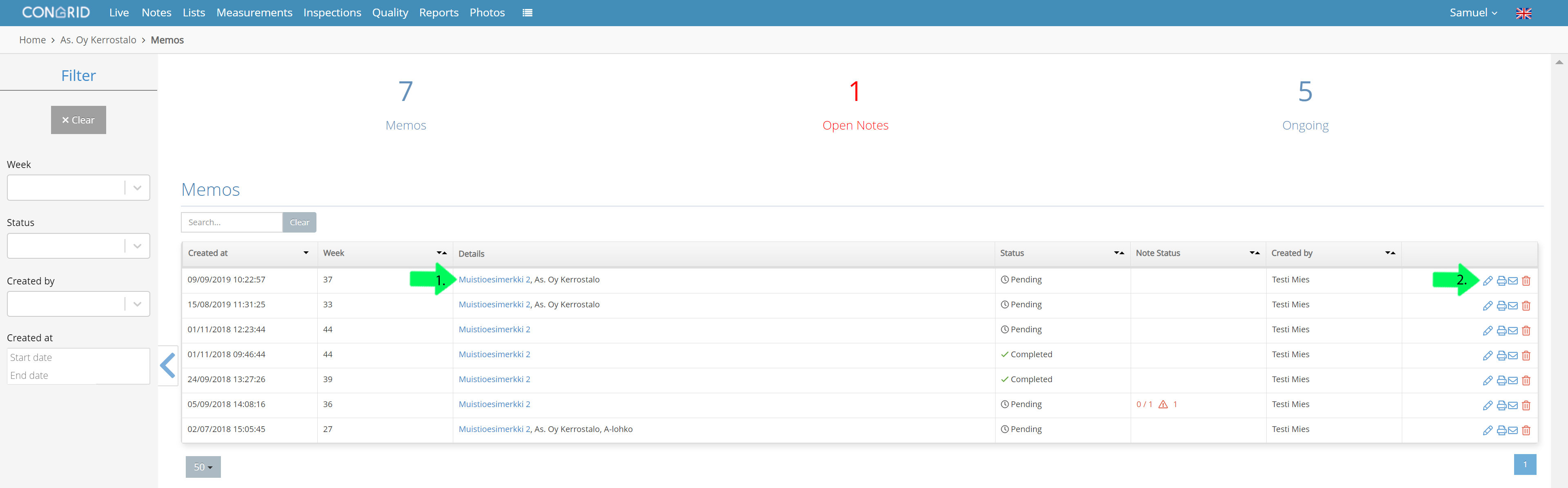
1. Change a name
2. Set a new area
3. Define an exact location
4. Set a work section
5. Change the memo's status
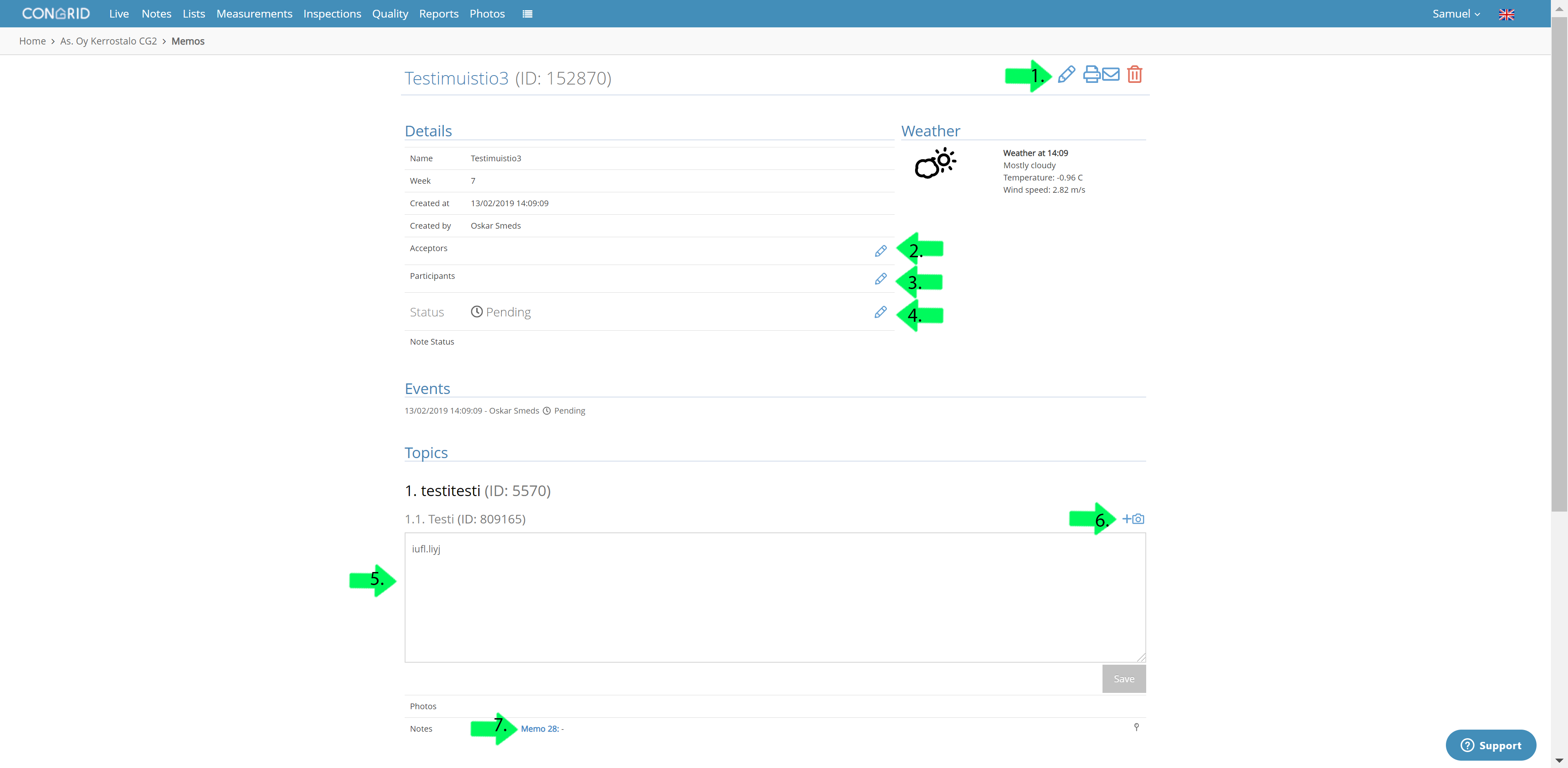
1. Pen icon - a similar pop-up window appears as in Memos
2. Define/edit acceptors
3. Define/edit participants
4. Edit inspection topics
5. Edit status
6. Add photographs
7. Notes entered into an inspection topic. View notes by clicking them.
Comments
0 comments
Please sign in to leave a comment.