
1. Open the "Admin" drop-down menu in Congrid lice and select "Administrated projects".
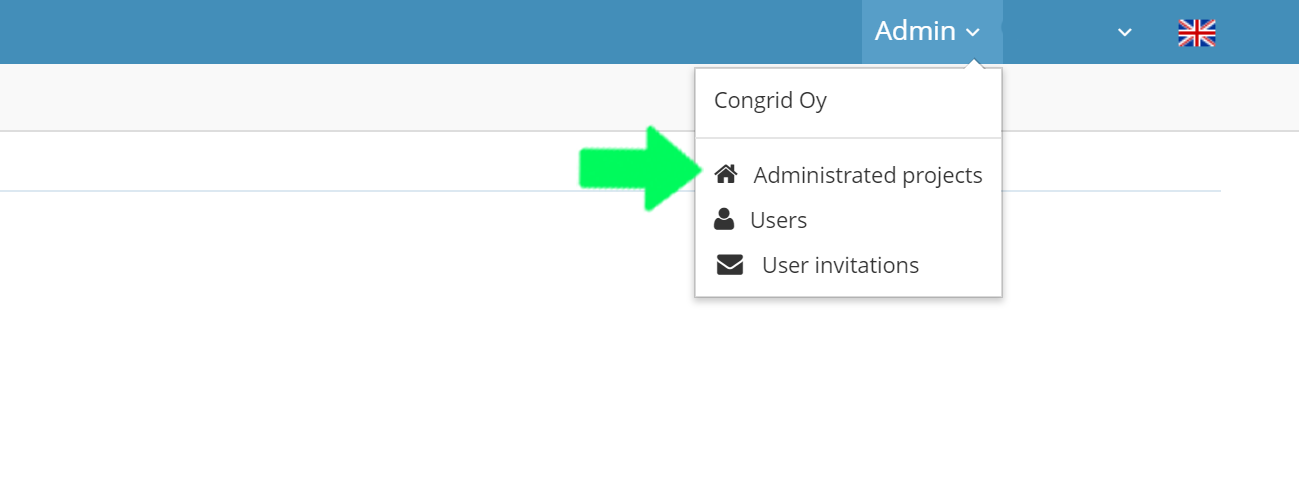
In the "Administrated projects" -the page you can change the status of your project in two ways.
1. Change only the status
2. Edit project information.
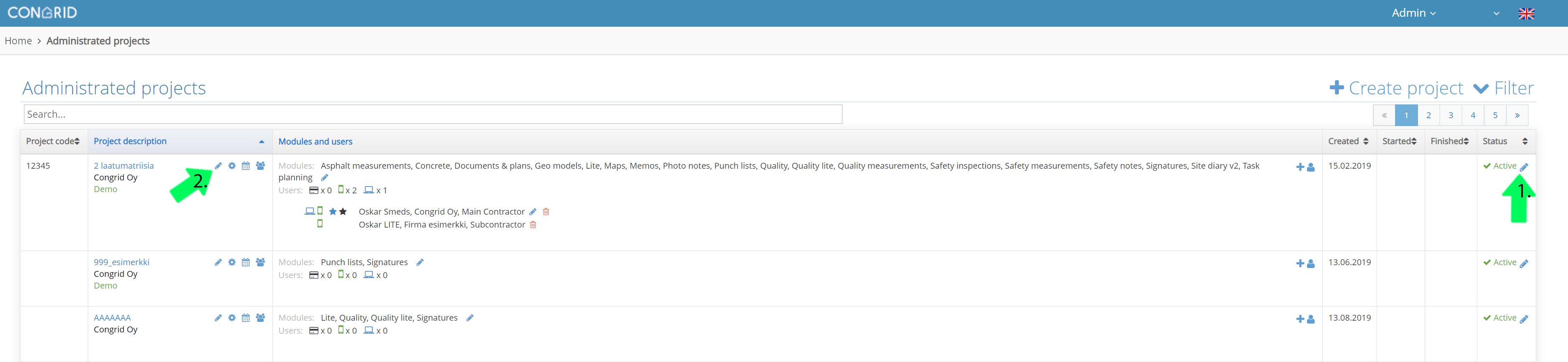
1. Change the project status.
If a project is finished, you can set started at and finished at -dates.
2. Started on a date.
3. Finished at a date.
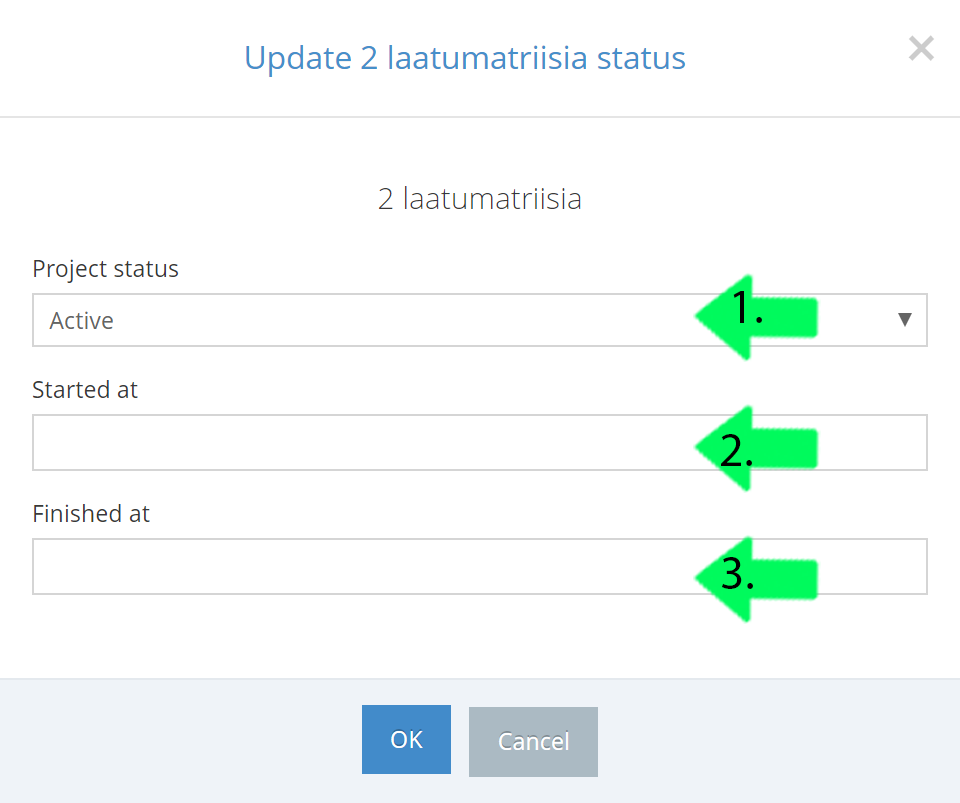
None of the status are final. You can at any time change a status to any of the diffrent status. When a project is set in any other status than Active or Warranty repair it is not available in the Congrid Application.
The different status available for a project are:
Not started:
For when a project has not yet been started. The project will be available in Congrid Live and you can set the project ready before actual work starts. In this status, the project will not be available in the Congrid application.
Active:
For when a project is active. With this status, the project will be available in Live and the application.
Warranty repair:
For when a project has warranty repair done to it. With this status, the project will be available in Live and the application.
Paused:
For when a project is paused. With this status, the project will be available in Live but not the application.
Maintenance:
To be used for example when sates for warranty repair are known, but not yet started. With this status, the project will be available on Live but not the application.
Closed:
For when a project is closed or finished. With this status, the project will be available in Live but not the application.
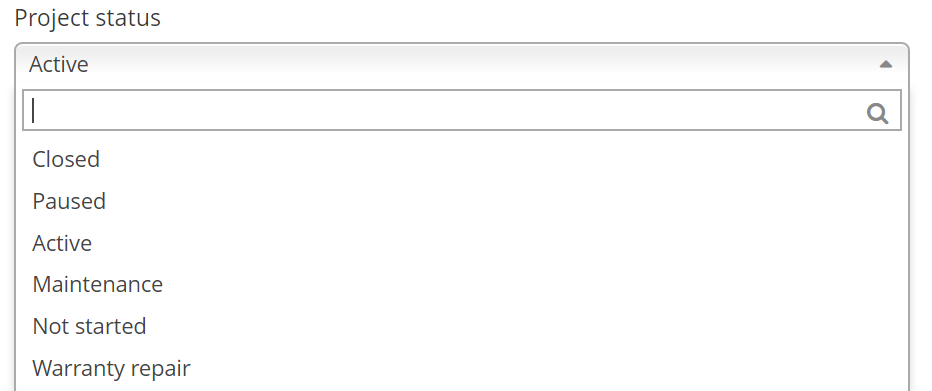
When a project is set as Not started, Paused, Maintenance, or closed it is not available in the Congrid mobile-application.
Comments
0 comments
Please sign in to leave a comment.