
Congrid Live Service - How to Create a New Project
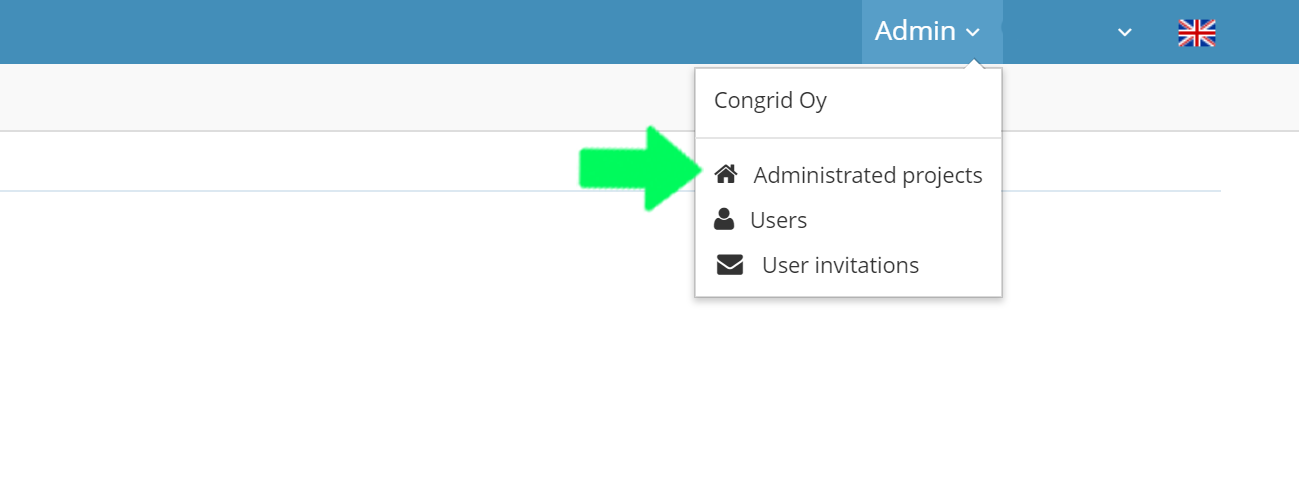
1. Open Congrid Live Service's Control Panel and choose Administrated Projects
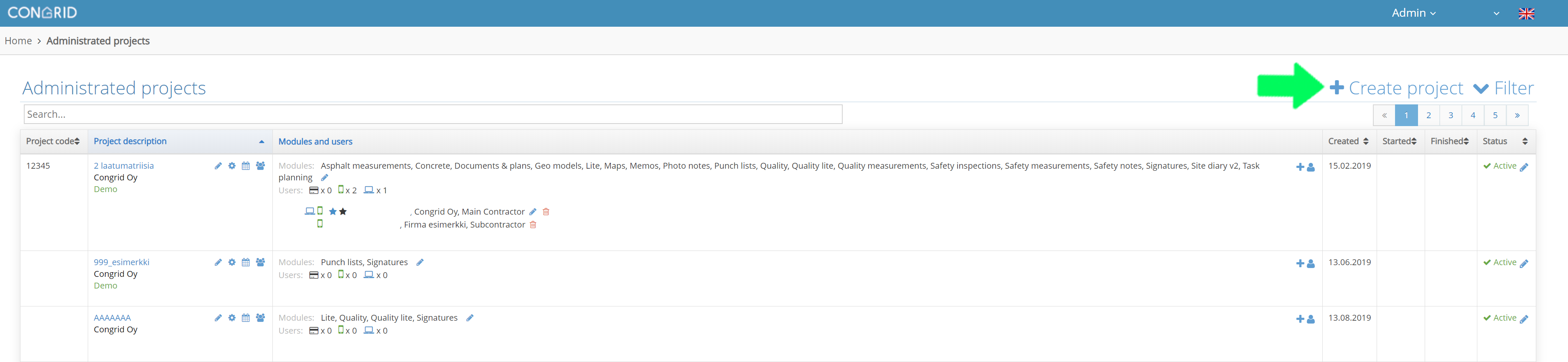
2. Activate a new project by clicking the +Create project
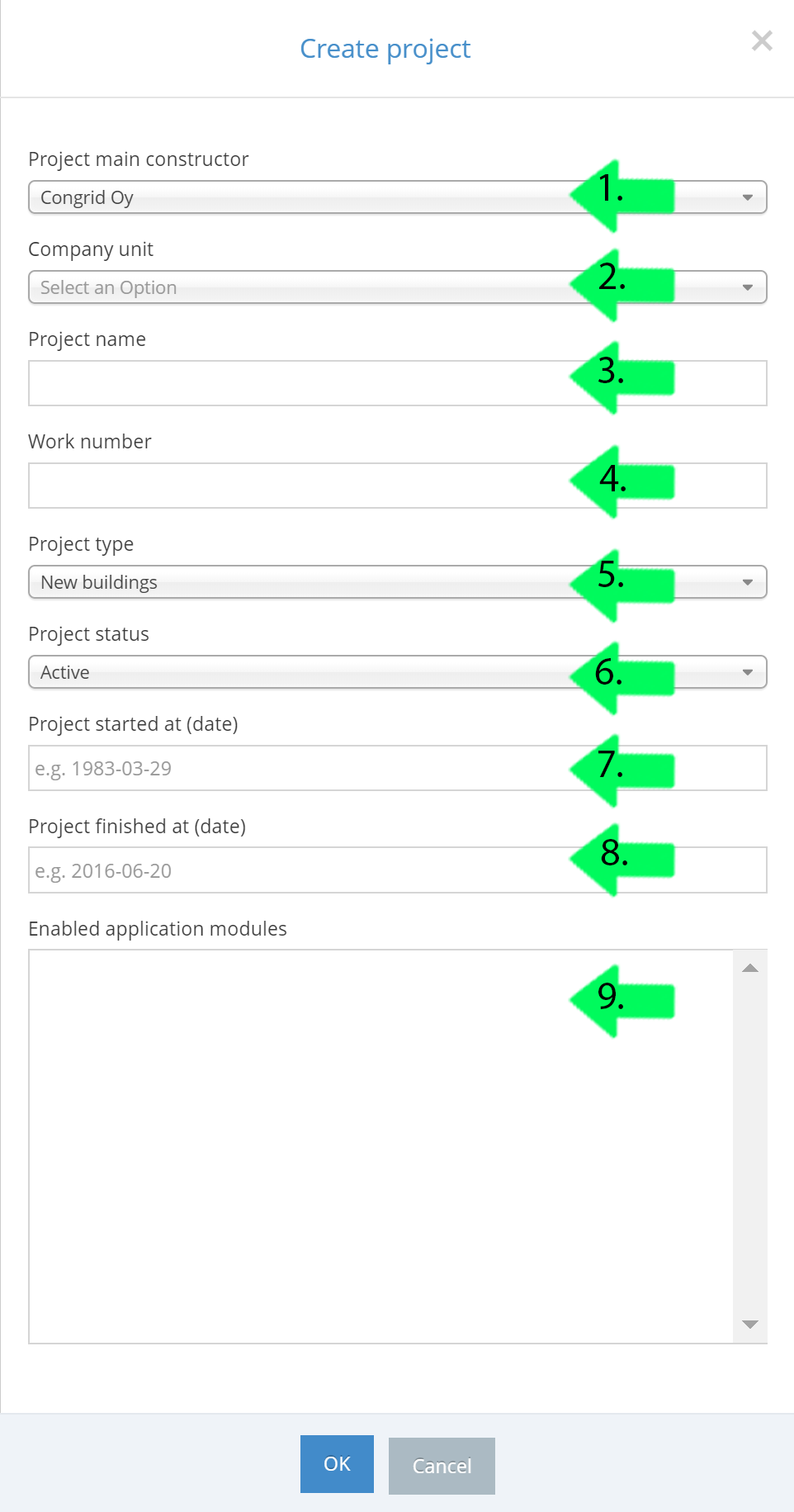
A new pop-up window appears where you can enter basic information for your project.
Basic data for opening a project (Fields marked with a star are obligatory).
1. The main contractor/owner of your project
A company may have more than one contractor/owner
2. Company unit
3. A formal name for the project.*
The formal name is obligatory.
4. Project work number
This project number will automatically be visible in all reports but is not obligatory,
5. Project type. The types are
- Renovation and Extension
- Repairing and Modification
- Infra treatment
- Test project
(if the project type is a test project the data doesn't affect your company's analytics page, the project type is not seen and does not affect reports in any way)
6. Project Status
"On" and "Warranty Repair" are active project status' where you can activate new user licenses.
7-8. Set Starting and Finishing Dates
The setting does not affect on other information
9. Project's Tools/Modules
Select project tools and modules. If you hold down the ctrl/cmd -button you can choose many tools.
Click "OK" to save.
Comments
0 comments
Please sign in to leave a comment.