
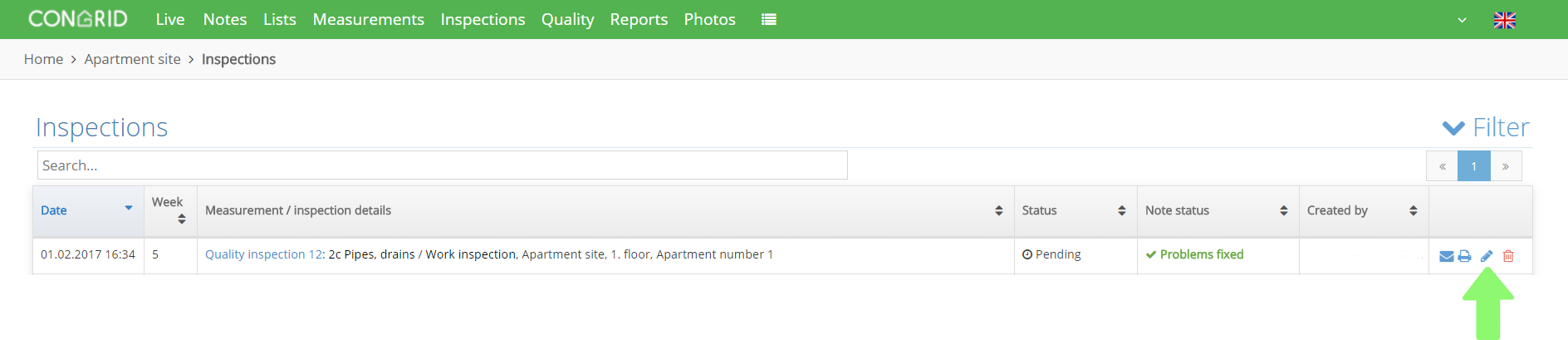
Click Inspections and choose the inspection you want to edit. The editing window opens by clicking the pen icon.
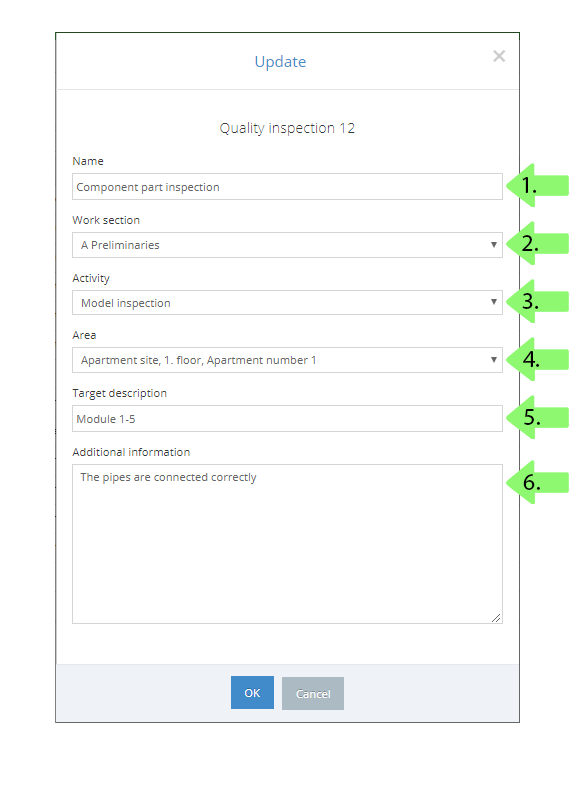
1. Set an inspection's name
2. Choose which work section an inspection will be attached to on the matrix.
3. Choose an inspection's column.
4. Set an area.
5. Specify a location.
6. Set dditional information.
These fields are not obligated.
Save by clicking OK.
Comments
0 comments
Please sign in to leave a comment.