
Click Reports.

Click the email icon on the right side of the page.

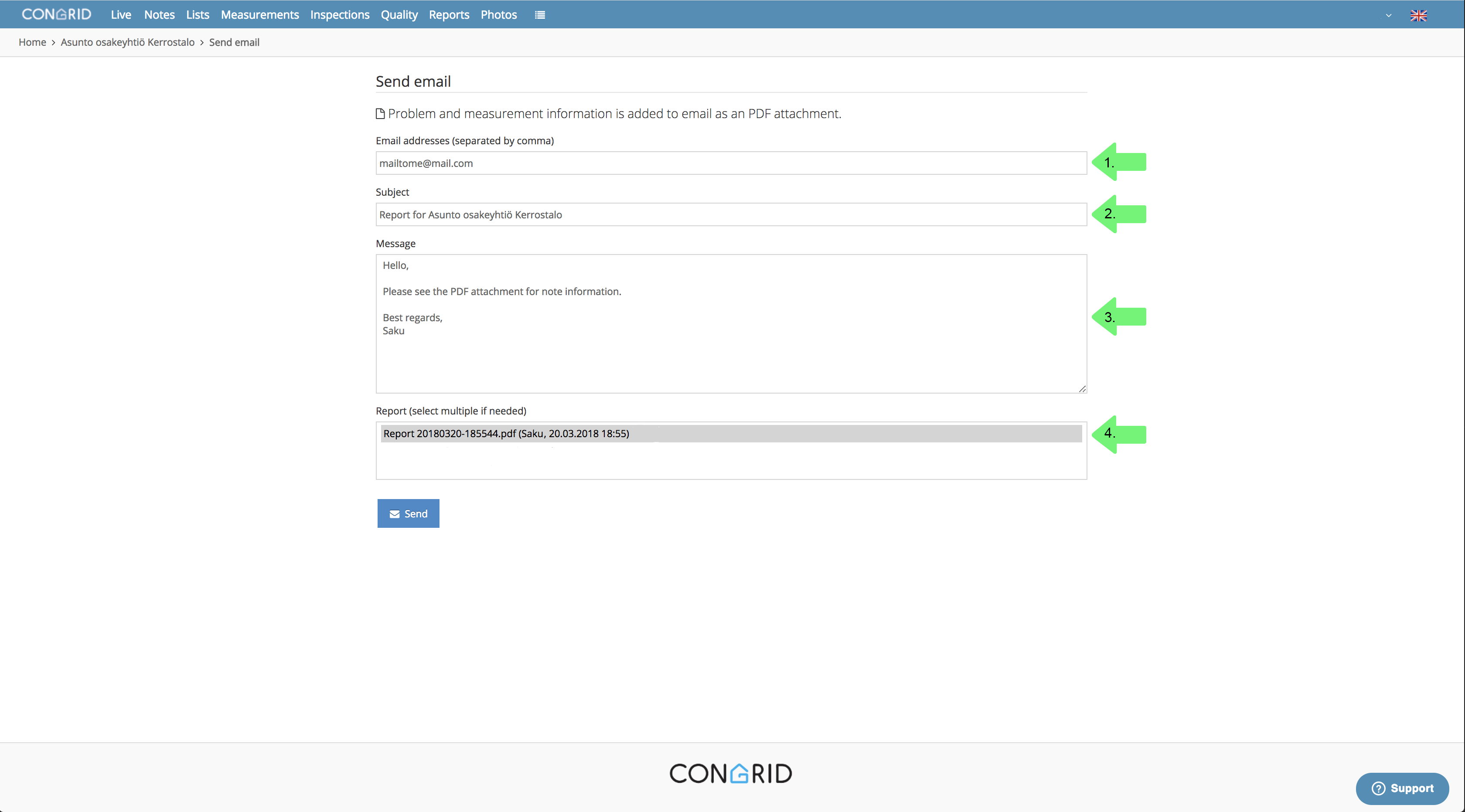
1. Enter a recipient's email address.
2. Enter an email's headline/topic.
3. Add a message.
4. Choose which report or reports you want to send. If you want to send more than one report hold down the ctrl-/cmd -key and click the desired ones to choose them.
Please note: When the report is sent from Congrid Live Service, the sender's email is noreply@congrid.com.
Comments
0 comments
Please sign in to leave a comment.