
When the work plan has been filled by the main contractor or the subcontractor, the status of the work plan can be set as either accepted or rejected.
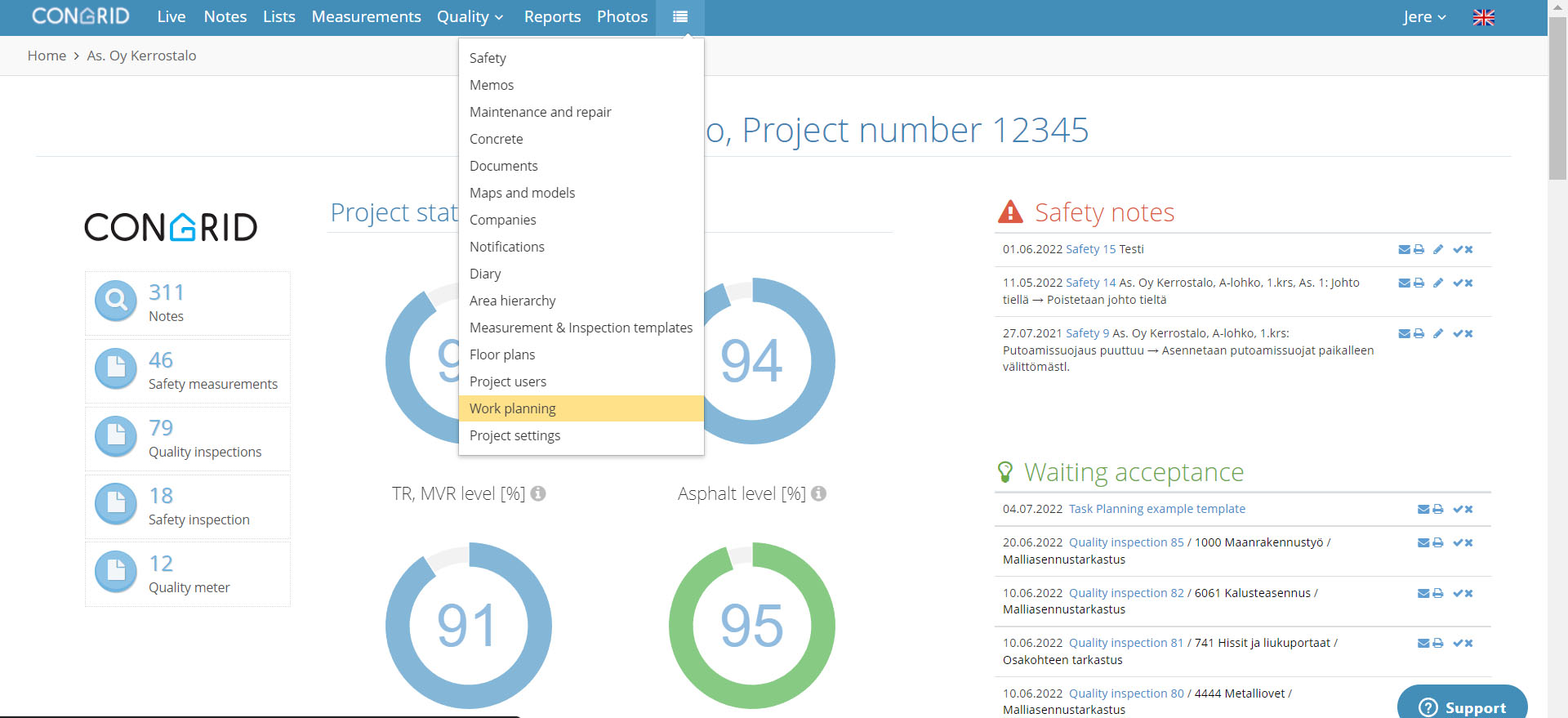
Start by opening work planning from the dropdown menu:
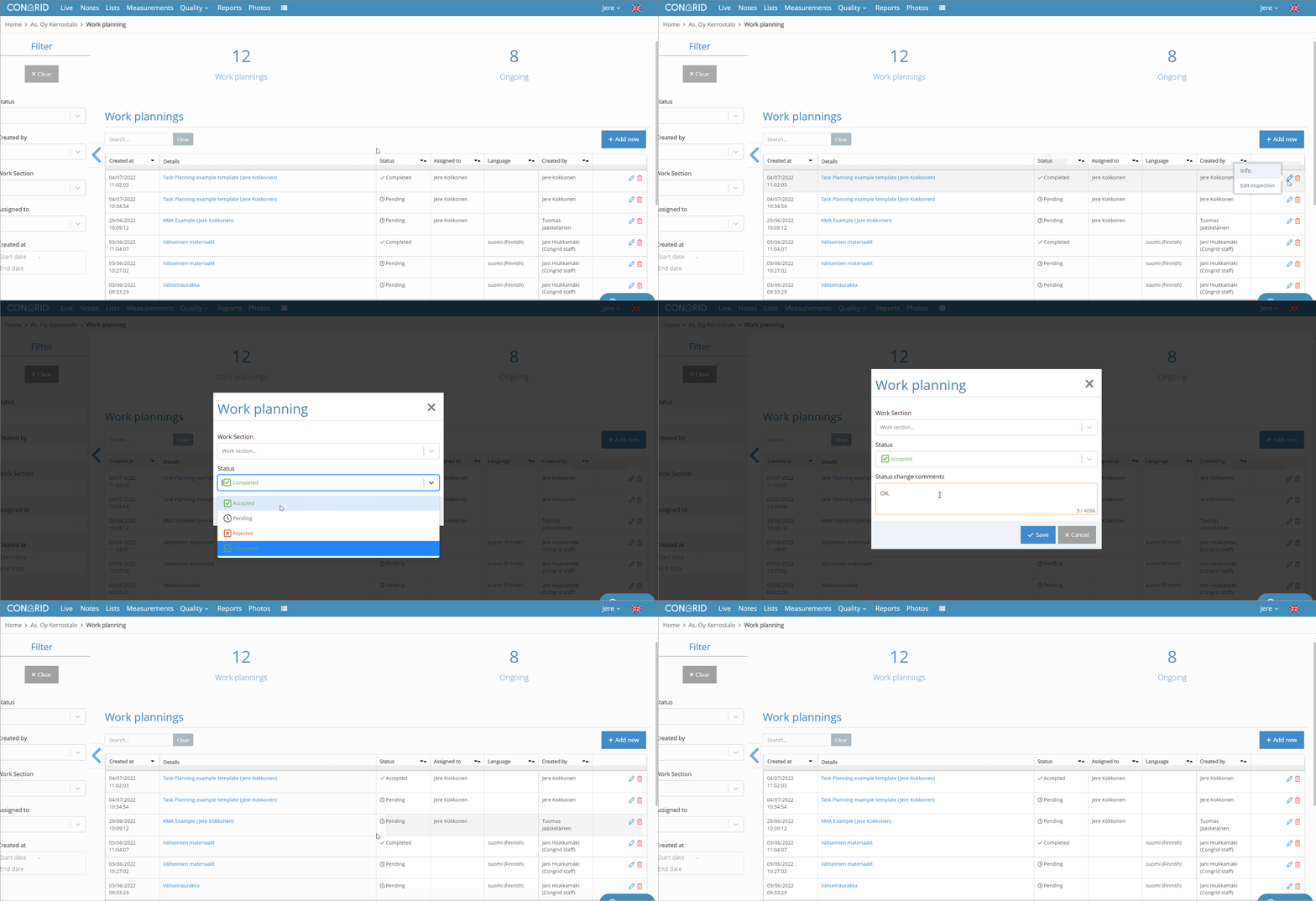
Method 1 - Accepting the work plan on the task planning page:
- Click on the
 -icon of the task plan you want to accept on the work planning page.
 - Select Accepted on the status dropdown menu (alternatively, you can reject the plan, for example, if it has been insufficiently filled out). You can also write your comments with the status change.
Finish by clicking on Save.
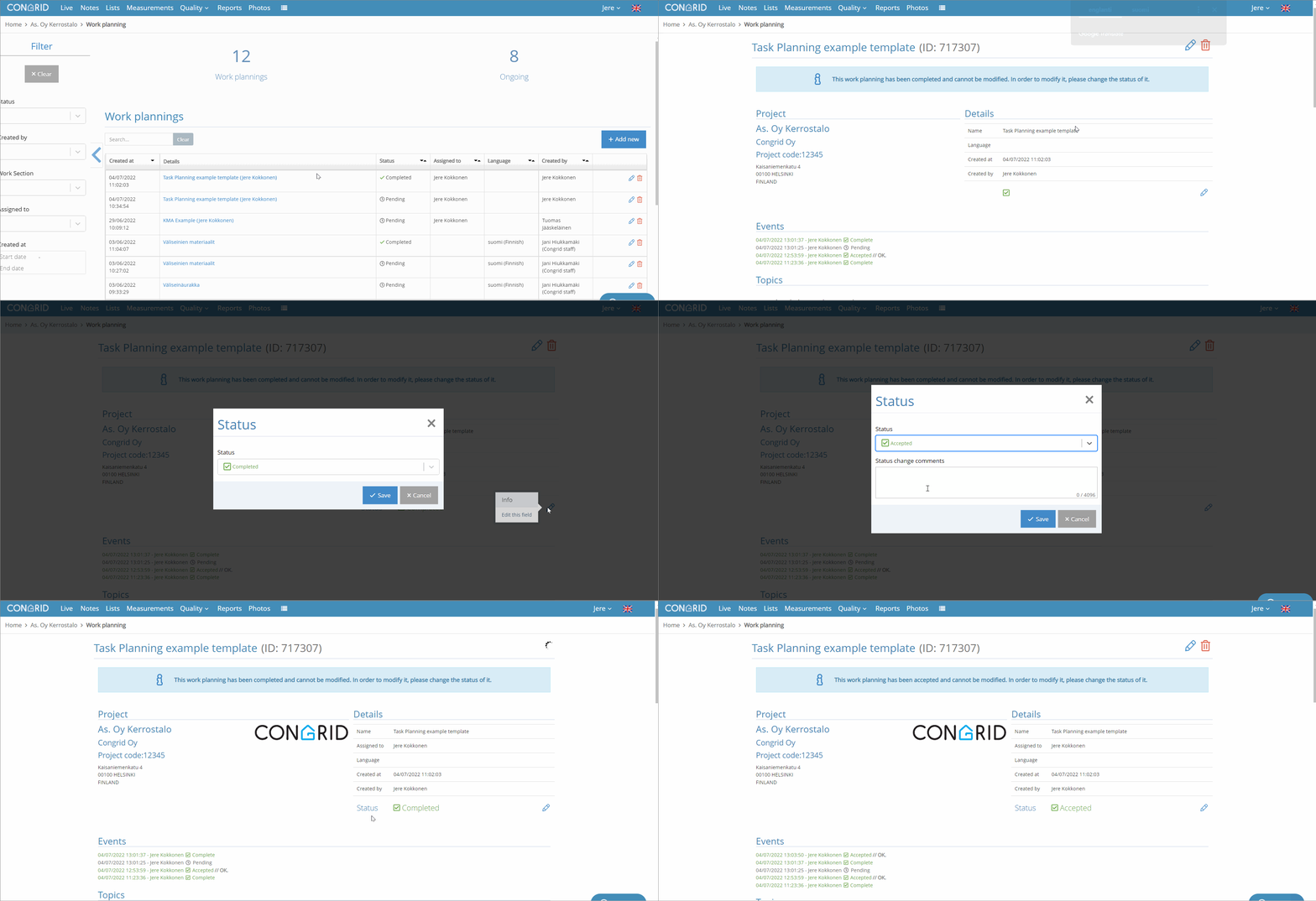
Method 2 - Accepting the work plan inside the task plan:
- You can also accept the work plan when you are inside the plan. Click on the name of the work plan you want to accept.
- When the work plan opens, click on the -icon and select the correct status from the dropdown menu. You can also write your comments with the status change.
Finish by clicking on Save.
Comments
0 comments
Please sign in to leave a comment.