
Begin the creation of a concrete record by setting basic information.
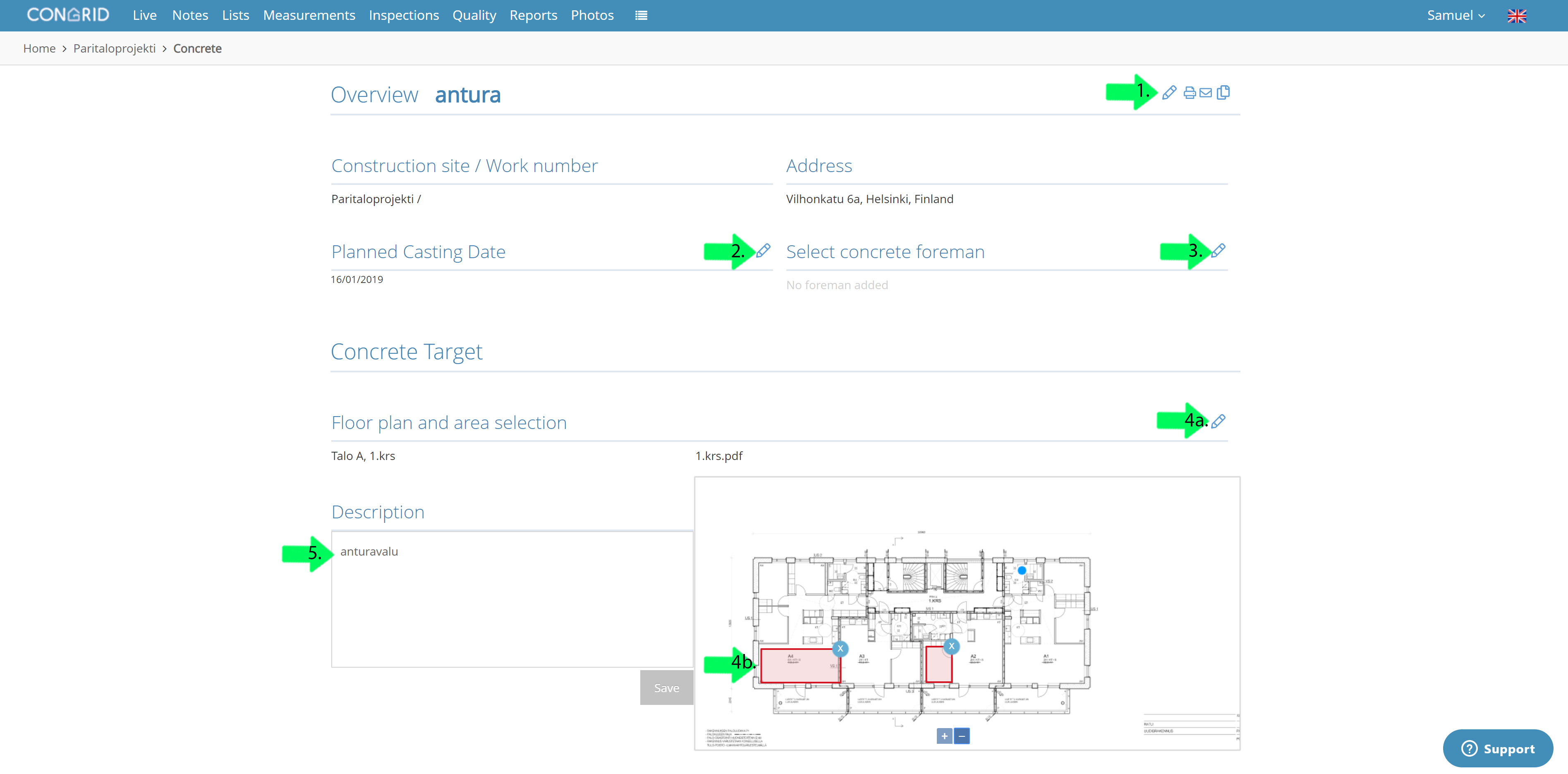
1. To edit the name or change a status of a concrete record use the pen -icon. To print a record use the printer -icon. To copy an entire concrete record use the file -icon.
2. Set the date of concrete casting in the popup calendar
3. Select users who are concrete foremen
4a. Set floor plan and area selection.
4b. Zoom in to the floor plan and set area of casting by setting red marked areas.
We recommend adding the floor plans containing casting areas on to your project.
5.Add an optional description.
Comments
0 comments
Please sign in to leave a comment.