
How to Combine Measurements
Click "Measurements".

First, You must activate Measurement Combining by contacting support@congrid.com
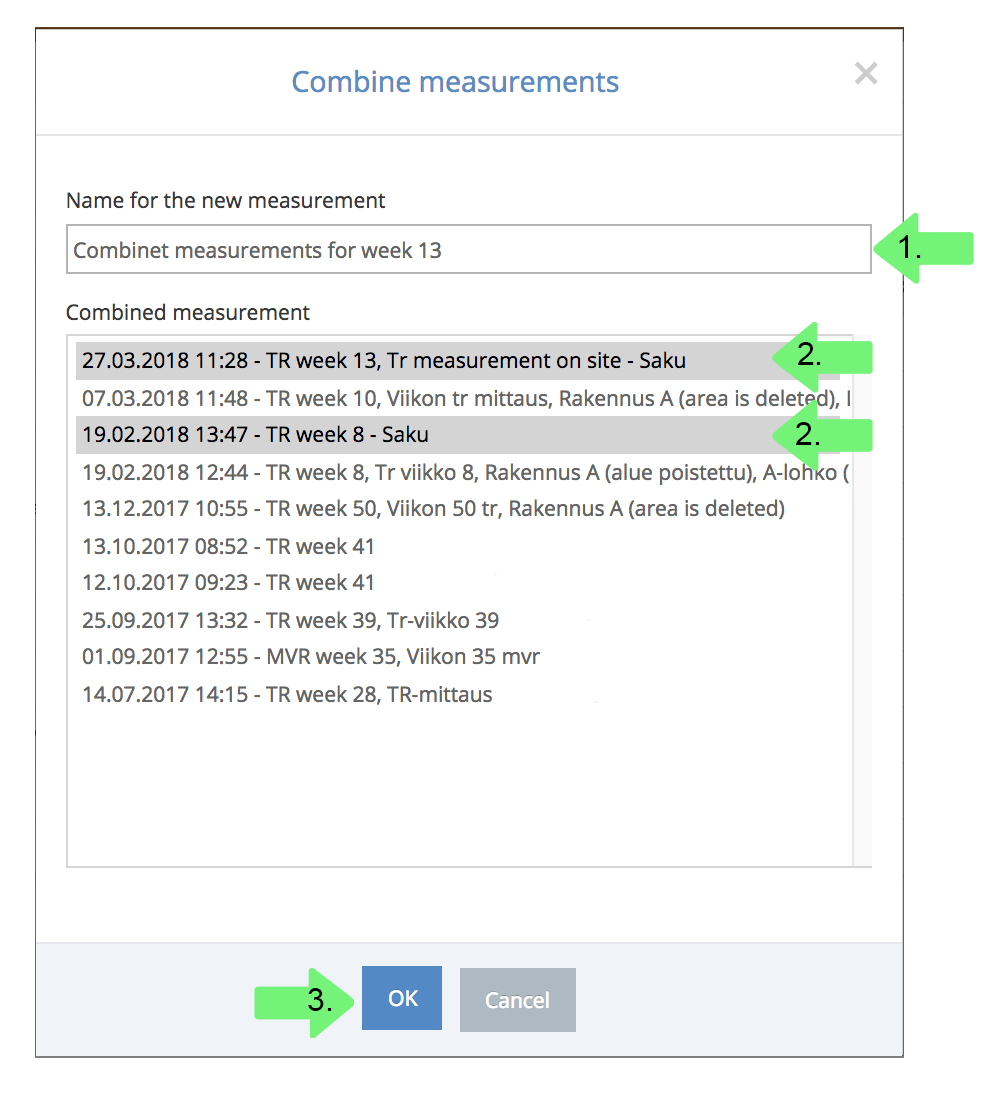
1. Combine Measurements by clicking + Combine.

2. Choose the measurements you want to combine. Choose more than one measurement by holding down ctrl/cmd -keys while clicking multiple measurements.
3. After choosing measurement and a name for it, click OK.
1. Measurement results appear in the following way:

Combined Measurements - Results
1. View the combined measurement's content.
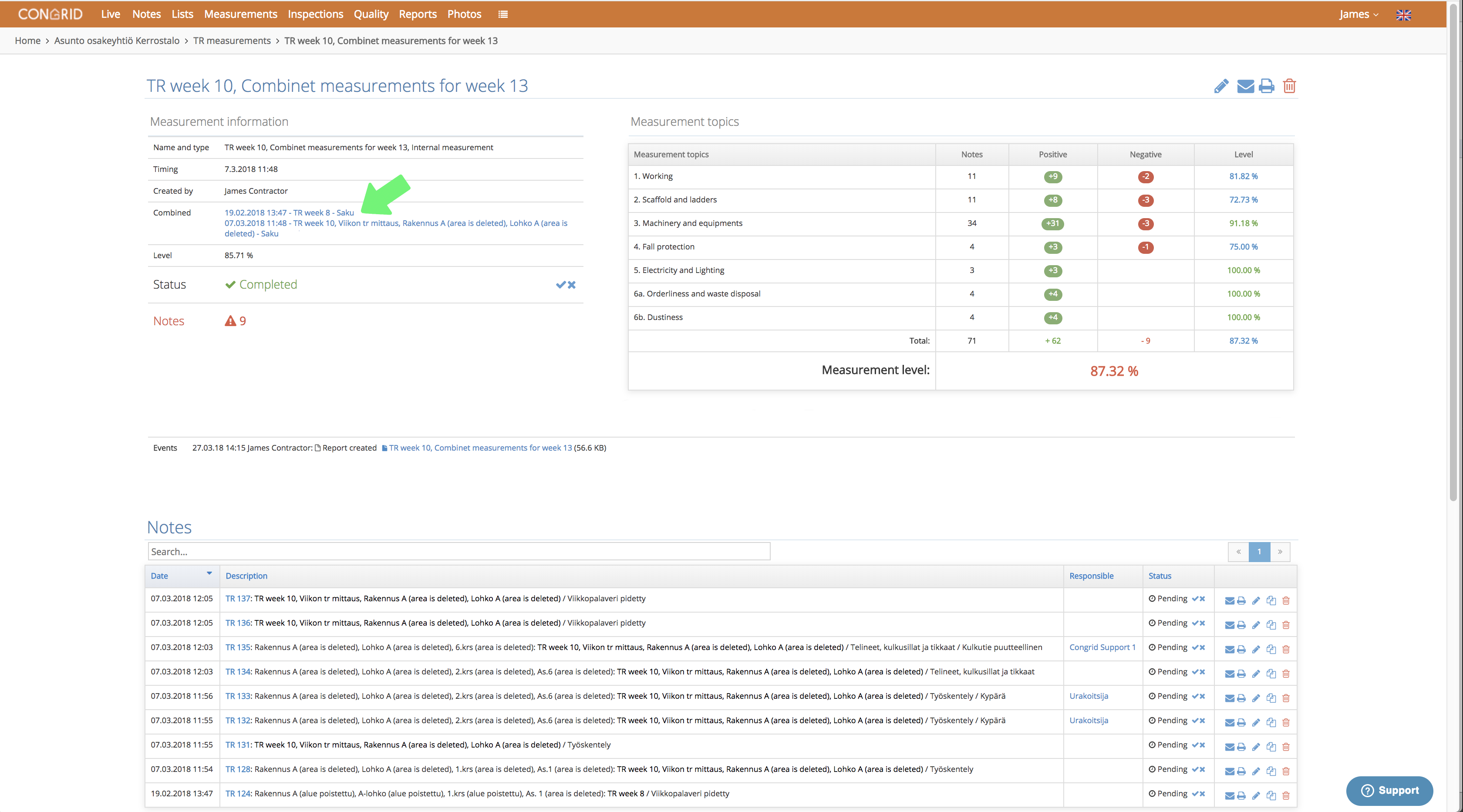
Combined measurements will not change a project's safety analytics. Instead, you can collect big projects' weekly measurements in one report.
Comments
0 comments
Please sign in to leave a comment.