
How to Edit Measurement & Inspection Templates
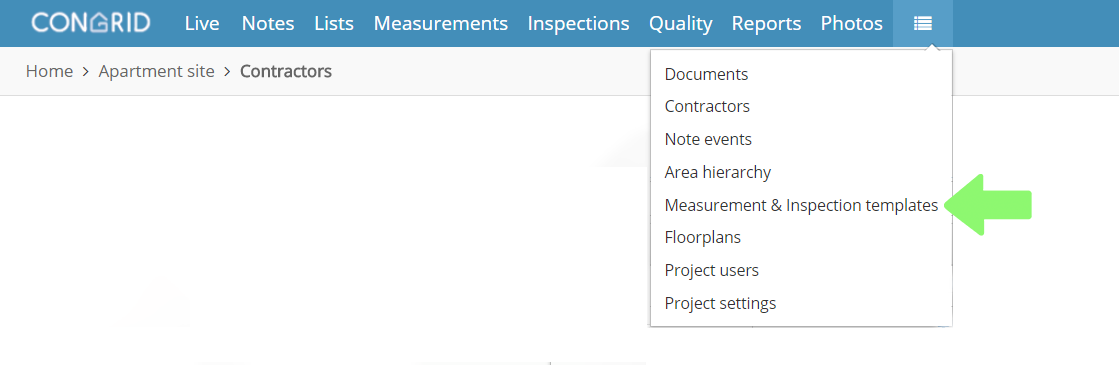
Select Measurement and Inspection templates in the drop-down menu to view all templates.
1. Click a measurement's or an inspection's name to edit the content.
2. Change a name and visibility of a template inside your company by clicking the pen icon.
3. Copy a template by clicking the copy icon.

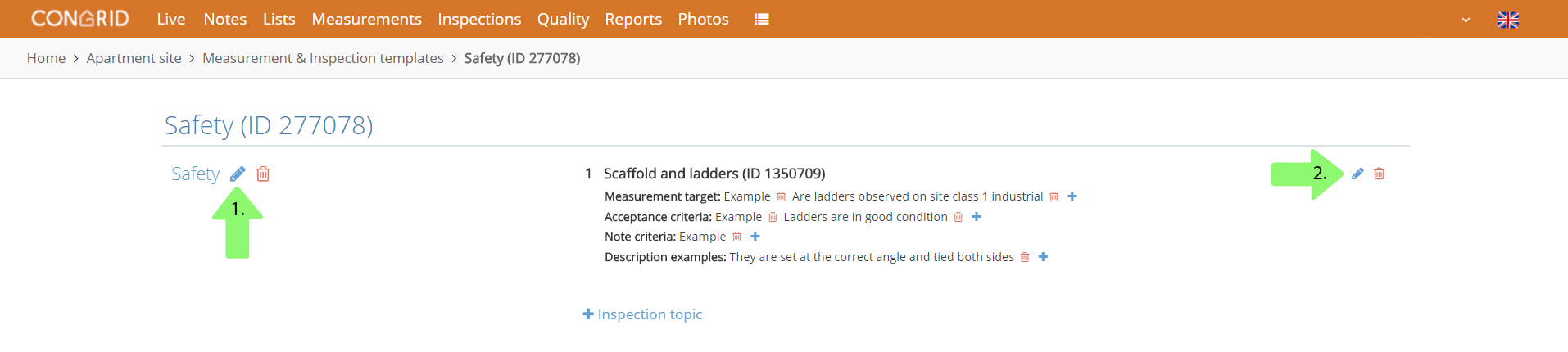
1. Change a name and visibility of the template inside your company by clicking the pen icon.
2. By clicking the pen icon you can edit an inspection topic's name, multipliers and order number.
Comments
0 comments
Please sign in to leave a comment.