
How to Edit or Delete Documents
1. Click Documents.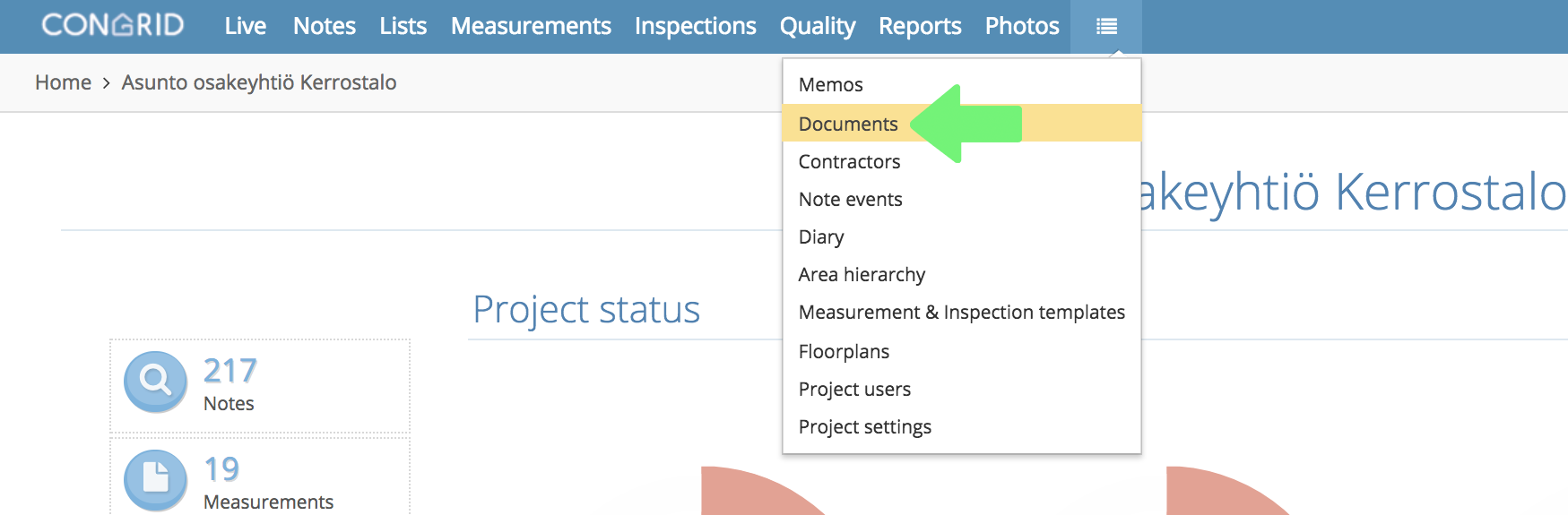
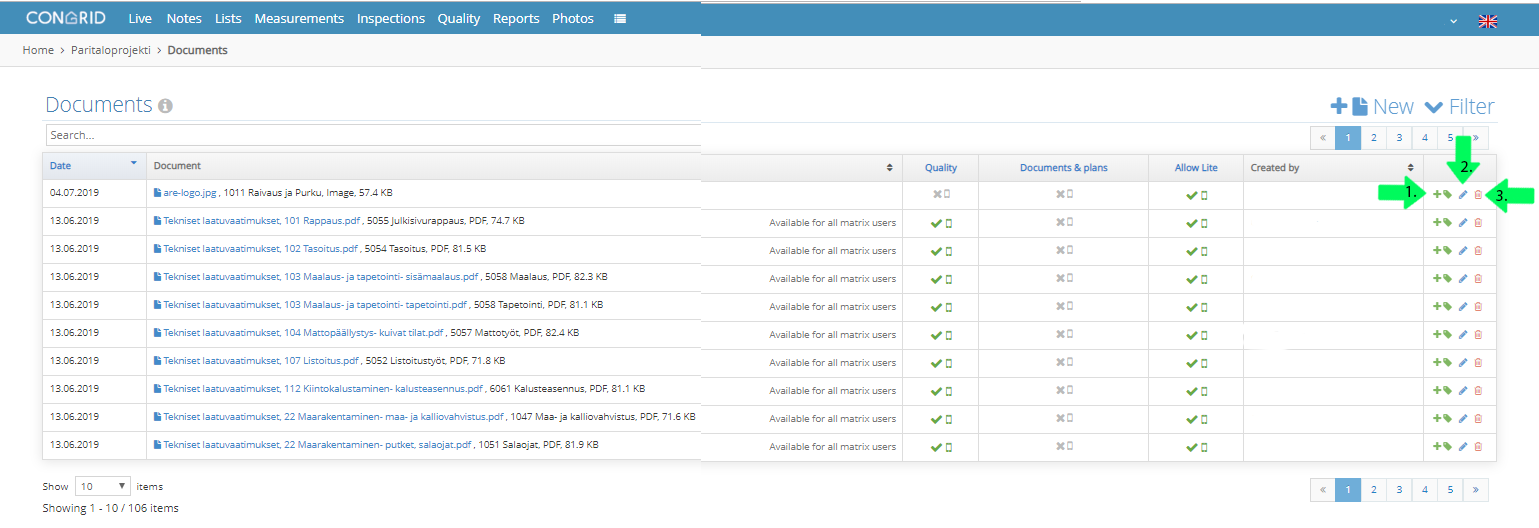
1. Add a tag for the document
2. Edit documents by clicking the pen icon.
3. Delete a document by clicking the red wastebasket icon.
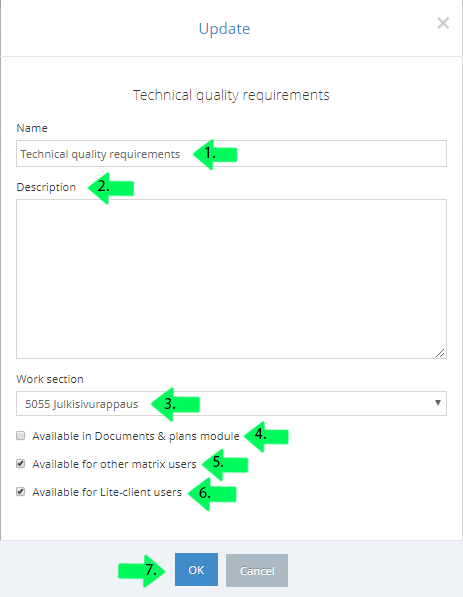
1. Enter a name for a document
2. Enter a description for a document
3. Select a work section
4. Click the box if you want the document to be available in Documents & plans module
5. Click the box if you want the document to be available to other matrix users
6. Click the box if you want the document to be available for Lite-client users.
7. Click OK to save changes.
Comments
0 comments
Please sign in to leave a comment.