
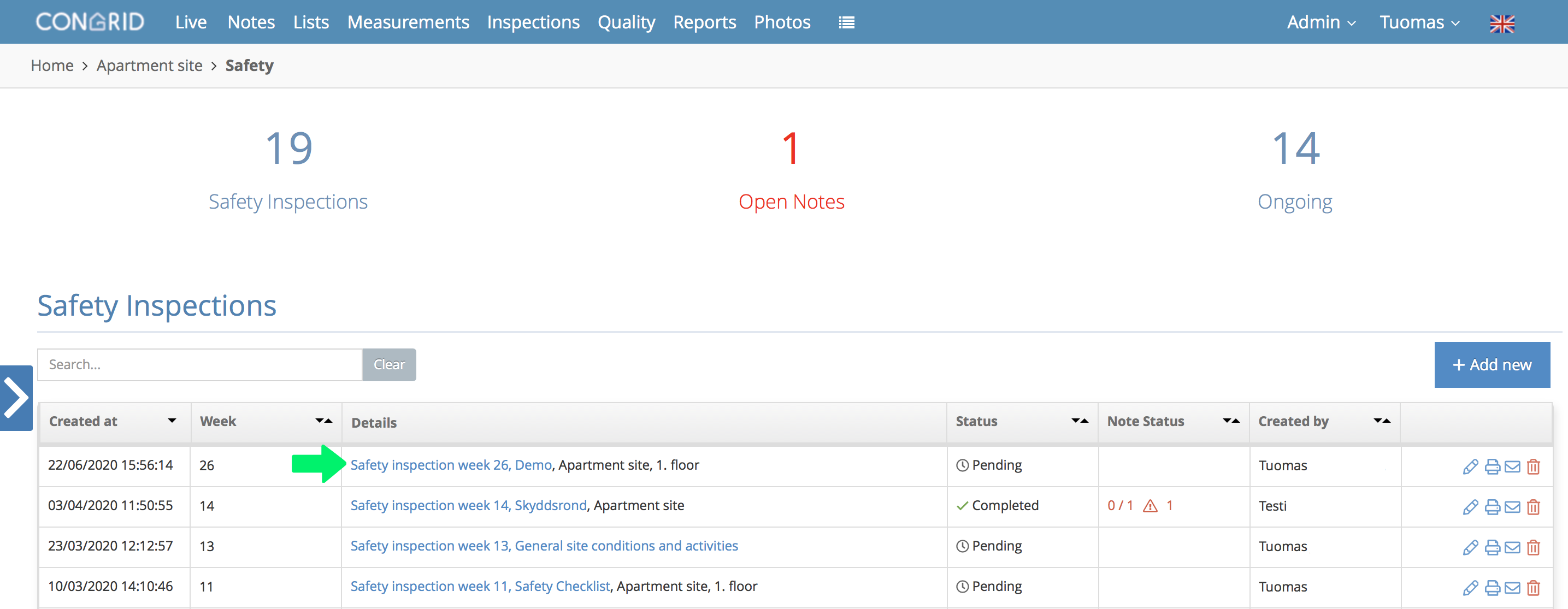
After setting basic data for an inspection, it will appear on the Safety Inspections page.
Start recording notes by opening an inspection you want to make. If an inspection's status is Unfinished, it can be edited and continued in the Congrid App.
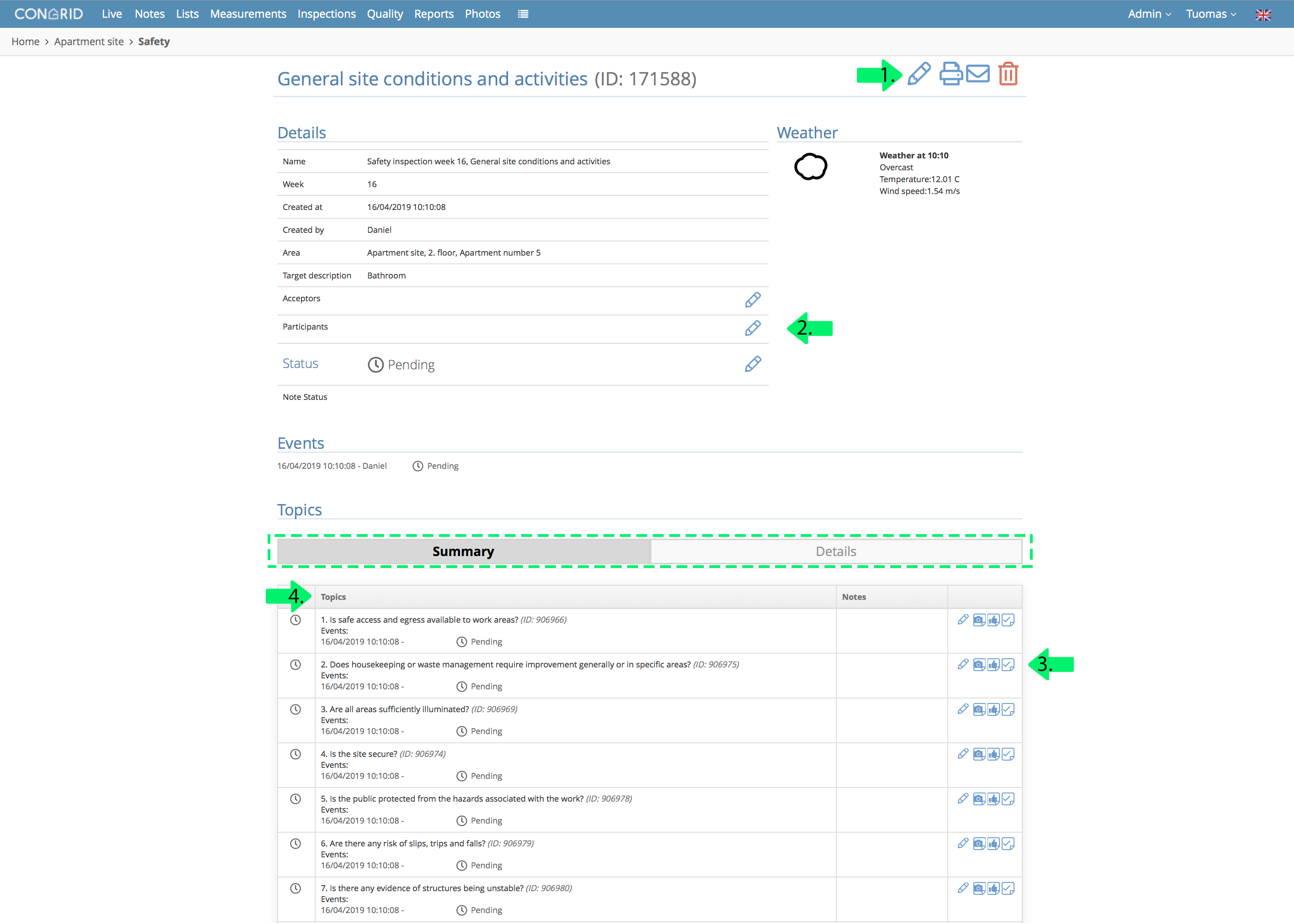
Safety Inspection - Qualities
1.  Edit an inspection's details.
  Create a report.
  Delete an inspection.
2. Define acceptors, participants and an inspection's status.
3. Write additional information, add a photo or create a note.
4. Inspection topics and its parts
Click a topic's info to see all inspection parts' notes.
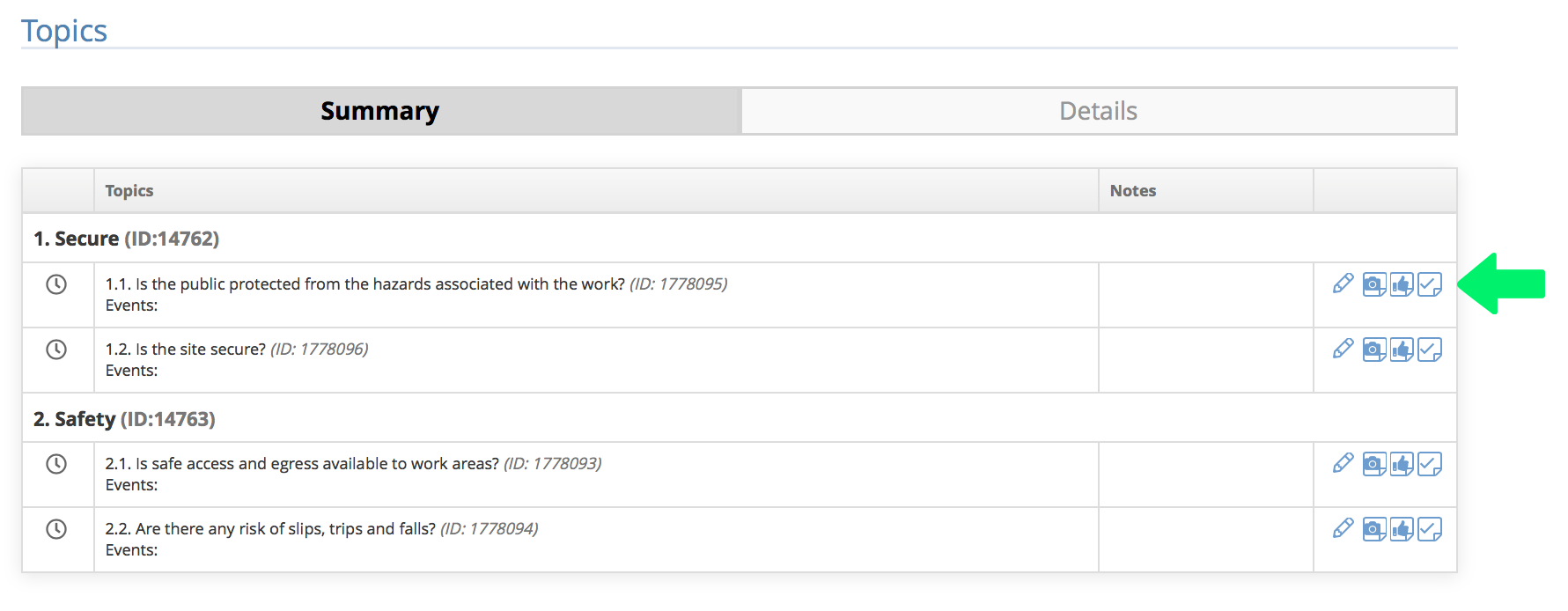
Inspection - Button Qualities
 Comment and define an inspection part's status
 Create a photo note
 Create a positive note
 Create a task note
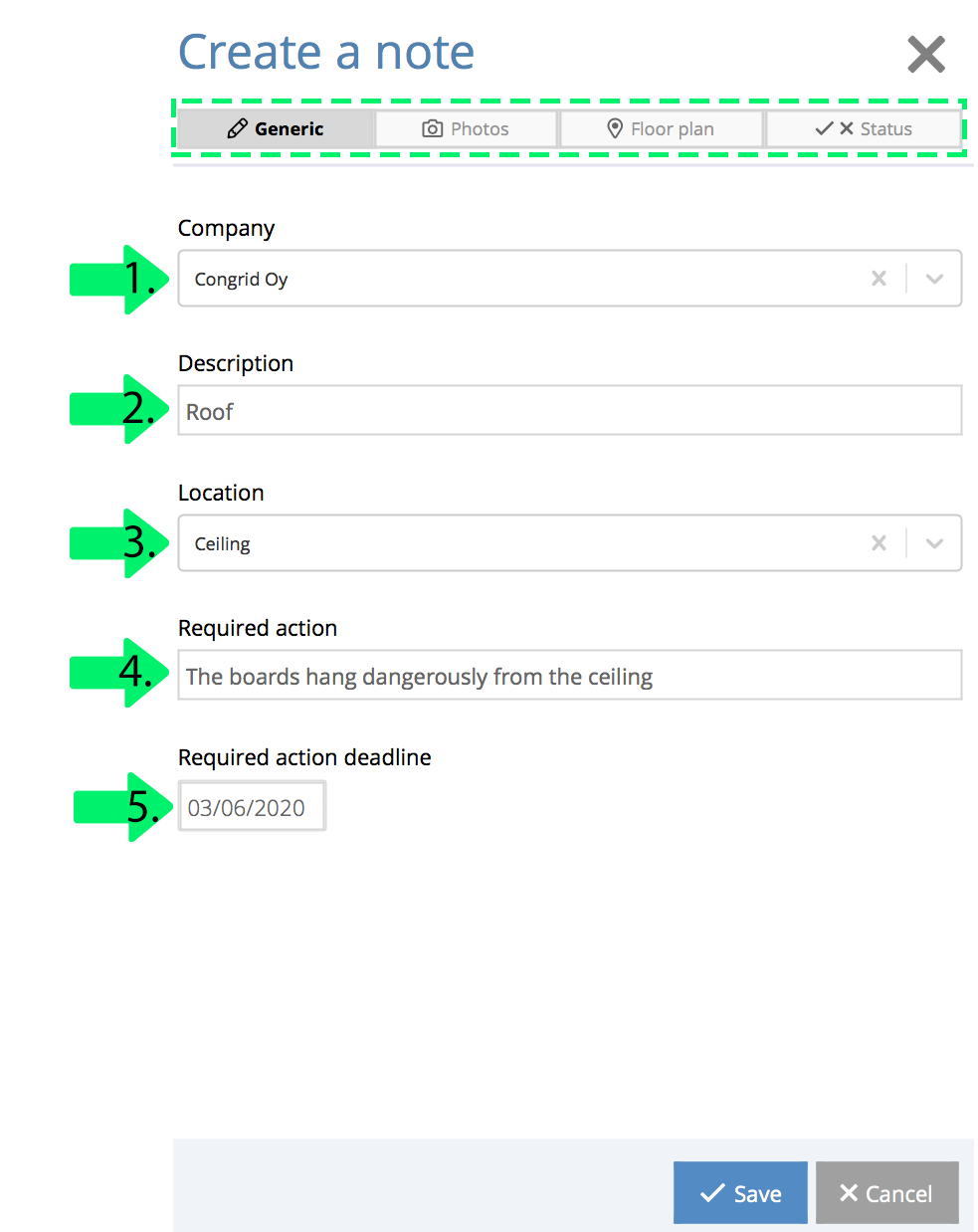
How to Add a Note to an Inspection
Note recording parts may differ between different companies and projects. The example photo is Congrid's own note task template.
The bolded text shows which note recording part you are currently creating. You can save a task at any point without defining other parts.
Start by clicking an inspection part's create a task note button. A new pop-up window appears.
- Choose a responsible contractor
- Write a description
- Add a location
- Add a responsible person
- Define a required action
- Set a required action's deadline.
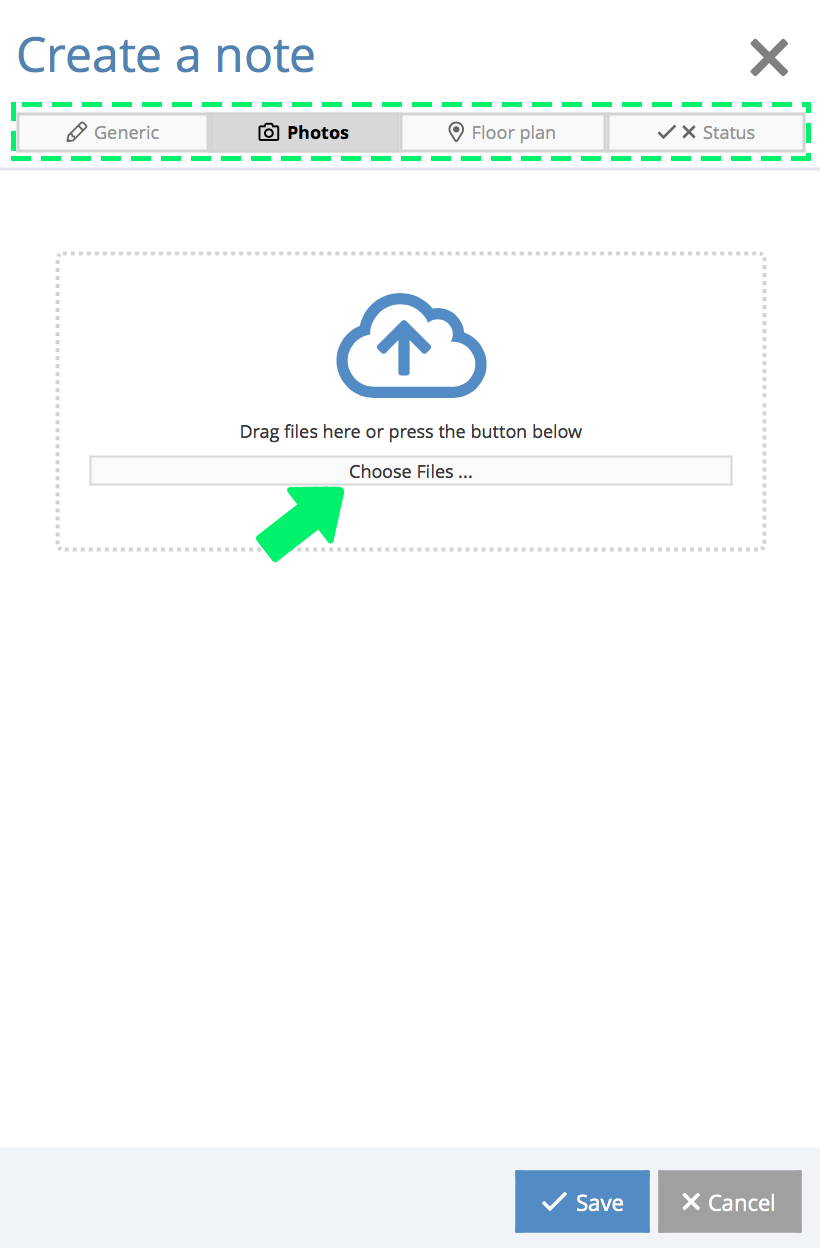
Add a photo (optional).
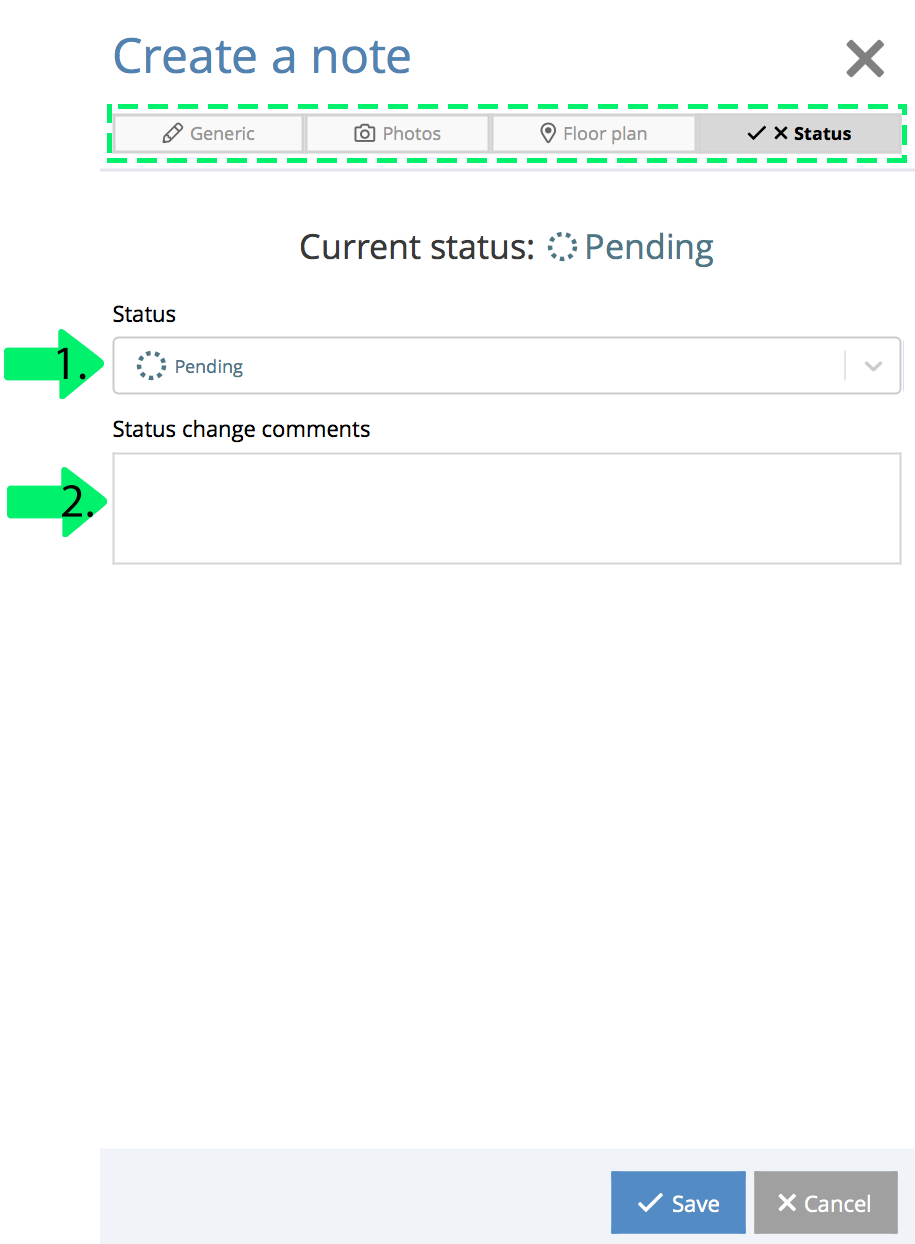
1. Set a status for a note.
2. Add comments according to changing status.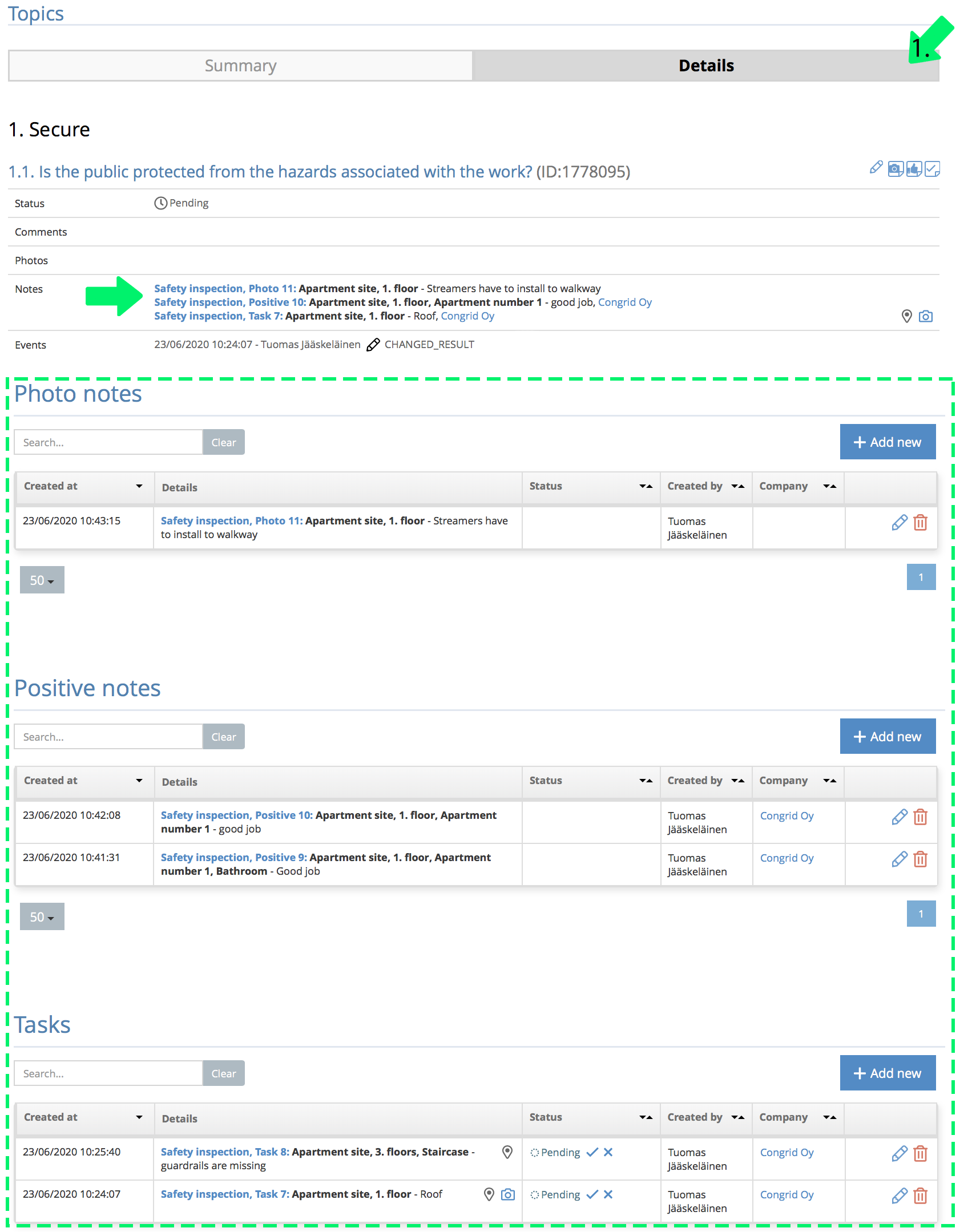
1. Click information to see all inspection parts' notes and comments.
You can also view all inspection notes by their types.
Comments
0 comments
Please sign in to leave a comment.